Partitioned file layouts place rows in directories named from selected column values, which lets Spark and other query engines avoid scanning unrelated files. A dataset partitioned by region and order date produces paths such as region=apac/order_date=2026-07-07 beneath one Parquet root.
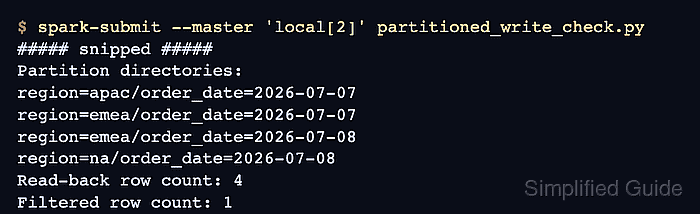
The DataFrameWriter.partitionBy() method controls the directory layout created by a file-based write. It does not replace DataFrame.repartition(), which changes how rows are distributed across Spark tasks before the write.
Columns used in common filters make good partition keys when they do not create an excessive number of distinct directory values. The four-order dataset uses region and order_date, checks every expected partition path, then reads the dataset root and proves that a filtered order remains available.
Steps to write partitioned data with PySpark:
- Create the partitioned_orders.py job file.
$ vi partitioned_orders.py
- Add the imports, local SparkSession, and output path.
from pathlib import Path

from pyspark.sql import SparkSession
from pyspark.sql import functions as F


spark = (
    SparkSession.builder
    .appName("partitioned-orders")
    .master("local[2]")
    .config("spark.ui.enabled", "false")
    .config("spark.ui.showConsoleProgress", "false")
    .getOrCreate()
)
spark.sparkContext.setLogLevel("ERROR")

output = Path("spark-partitioned-demo/orders")
- Define the source orders below the output path.
orders = spark.createDataFrame(
    [
        ("ord-1001", "apac", "2026-07-07", "paid", 212.10),
        ("ord-1002", "emea", "2026-07-07", "paid", 149.50),
        ("ord-1003", "emea", "2026-07-08", "cancelled", 42.00),
        ("ord-1004", "na", "2026-07-08", "paid", 87.25),
    ],
    ["order_id", "region", "order_date", "status", "amount"],
)
- Write the orders as Parquet partitioned by region and order_date.
(
    orders.write
    .mode("overwrite")
    .partitionBy("region", "order_date")
    .parquet(str(output))
)
mode(“overwrite”) replaces data already stored at the output path. Existing datasets require a separate output path or a backup when their files must remain available.
- Check the complete set of partition directories after the write.
partition_dirs = sorted(
    str(path.relative_to(output))
    for path in output.glob("region=*/order_date=*")
    if path.is_dir()
)
expected_dirs = [
    "region=apac/order_date=2026-07-07",
    "region=emea/order_date=2026-07-07",
    "region=emea/order_date=2026-07-08",
    "region=na/order_date=2026-07-08",
]
assert partition_dirs == expected_dirs

print("Partition directories:")
for directory in partition_dirs:
    print(directory)
- Prove that reading the dataset root restores the partition columns and selected order.
read_back = spark.read.parquet(str(output))
apac_orders = (
    read_back
    .where(
        (F.col("region") == "apac")
        & (F.col("order_date") == "2026-07-07")
    )
    .orderBy("order_id")
)
assert apac_orders.count() == 1
assert apac_orders.first().order_id == "ord-1001"

print("Filtered partition read:")
apac_orders.select(
    "order_id", "region", "order_date", "amount"
).show(truncate=False)

spark.stop()
The assertions stop the job if either the partition layout or the filtered read-back differs from the expected dataset.
- Run the completed job in local Spark.
$ spark-submit --master local[2] partitioned_orders.py
##### snipped #####
Partition directories:
region=apac/order_date=2026-07-07
region=emea/order_date=2026-07-07
region=emea/order_date=2026-07-08
region=na/order_date=2026-07-08
Filtered partition read:
+--------+------+----------+------+
|order_id|region|order_date|amount|
+--------+------+----------+------+
|ord-1001|apac  |2026-07-07|212.1 |
+--------+------+----------+------+
- Inspect the nested output directories independently.
$ find spark-partitioned-demo/orders -type d
spark-partitioned-demo/orders
spark-partitioned-demo/orders/region=na
spark-partitioned-demo/orders/region=na/order_date=2026-07-08
spark-partitioned-demo/orders/region=emea
spark-partitioned-demo/orders/region=emea/order_date=2026-07-08
spark-partitioned-demo/orders/region=emea/order_date=2026-07-07
spark-partitioned-demo/orders/region=apac
spark-partitioned-demo/orders/region=apac/order_date=2026-07-07
Each region=value/order_date=value directory holds the Parquet files for that partition combination. Reading from spark-partitioned-demo/orders keeps both partition columns available to Spark.

Mohd Shakir Zakaria is a cloud architect with deep roots in software development and open-source advocacy. Certified in AWS, Red Hat, VMware, ITIL, and Linux, he specializes in designing and managing robust cloud and on-premises infrastructures.


