How to upgrade Apache Hadoop
An Apache Hadoop upgrade changes binaries, daemon classpaths, and sometimes filesystem or scheduler behavior. The safe upgrade path starts with release notes, backup points, and a rollback plan before any service is stopped.
Upgrade one environment at a time, keep configuration under version control, and separate binary installation from metadata changes. HDFS finalization should happen only after validation and rollback acceptance.
Version-specific notes matter. Hadoop 3.5 requires Java 17 on server hosts, and S3A classpath handling changed around lean binary distributions.
Steps to upgrade Apache Hadoop:
- Record the current Hadoop version.
$ hadoop version
Hadoop 3.4.3
Source code repository https://github.com/apache/hadoop -r 111111111111
- Check HDFS health before the maintenance window.
$ hdfs fsck /
Status: HEALTHY
 Total blocks (validated): 42
Related: How to check HDFS cluster health
- Create a NameNode checkpoint or backup according to the cluster recovery plan.
$ hdfs dfsadmin -saveNamespace
Save namespace successful
- Stop Hadoop daemons.
$ stop-yarn.sh
Stopping resourcemanager
Stopping nodemanagers
Related: How to restart Hadoop services
- Install the new Hadoop binaries beside the old version.
$ sudo tar -xzf hadoop-3.5.0.tar.gz -C /opt
- Switch the Hadoop symlink after copying validated configuration.
$ sudo ln -sfn /opt/hadoop-3.5.0 /opt/hadoop
- Start services with the new version.
$ start-dfs.sh
Starting namenodes on [nn1.example.net]
Starting datanodes
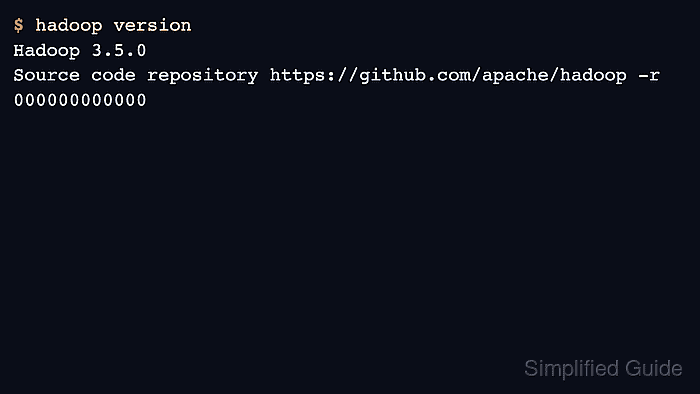
- Verify Hadoop, HDFS, and YARN after startup.
$ hadoop version
Hadoop 3.5.0
Source code repository https://github.com/apache/hadoop -r 000000000000
- Finalize the HDFS upgrade only after rollback is no longer needed.
$ hdfs dfsadmin -finalizeUpgrade
Finalize upgrade successful
Finalizing removes the rollback path for the previous HDFS layout version.