How to create an Apache Cassandra user
An Apache Cassandra user account is a login role that lets an application, automation job, or operator authenticate without sharing the default administrative identity. Creating the account separately from table permissions keeps the identity boundary clear before grants are added.
Cassandra's CQL role model stores login names, passwords, superuser state, and datacenter access in role metadata. CREATE ROLE is the preferred form for new accounts, while the legacy CREATE USER syntax remains equivalent to creating a role with LOGIN = true.
Run the change from an authenticated cqlsh session that has SUPERUSER status or CREATE permission on roles. Keep password-bearing statements out of shell history, leave the new role non-superuser unless administrative access is intentional, and grant keyspace or table permissions in a separate review.
Steps to create an Apache Cassandra login role:
- Open an authenticated cqlsh session as a Cassandra administrator.
$ cqlsh --disable-history -u dba cassandra01.example.net 9042
Password:
Connected to SG Cluster at cassandra01.example.net:9042
[cqlsh 6.2.0 | Cassandra 5.0.8 | CQL spec 3.4.7 | Native protocol v5]
Use HELP for help.
dba@cqlsh>
--disable-history keeps typed CQL statements out of the local cqlsh history file for this session. Use a locked-down credentials file for repeated administrator work.
Related: How to connect to Apache Cassandra with cqlsh - Create the login role without superuser status.
dba@cqlsh> CREATE ROLE app_reader WITH PASSWORD = 'new-long-random-password' AND LOGIN = true AND SUPERUSER = false;
dba@cqlsh>
Replace the sample password before running the statement. CREATE ROLE stores the password through Cassandra's configured role manager, but the plain text can still appear in terminal scrollback, audit captures, or shared screen recordings.
- Verify the new role attributes.
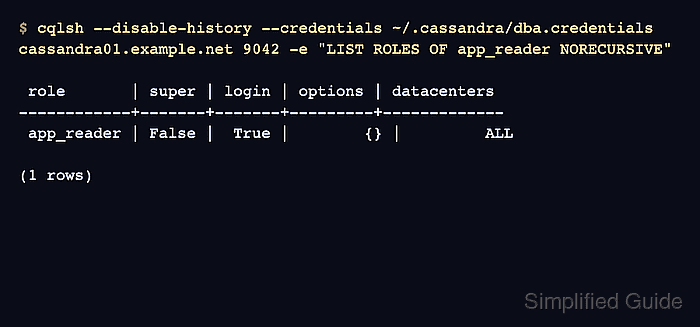
$ cqlsh --disable-history --credentials ~/.cassandra/dba.credentials cassandra01.example.net 9042 -e "LIST ROLES OF app_reader NORECURSIVE"

 role       | super | login | options | datacenters
------------+-------+-------+---------+-------------
 app_reader | False |  True |        {} |         ALL

(1 rows)
LOGIN set to True means clients can authenticate as the role. SUPER set to False keeps the role out of administrative operations unless separate permissions are granted.
- Open a fresh cqlsh session as the new role.
$ cqlsh --disable-history -u app_reader cassandra01.example.net 9042
Password:
Connected to SG Cluster at cassandra01.example.net:9042
[cqlsh 6.2.0 | Cassandra 5.0.8 | CQL spec 3.4.7 | Native protocol v5]
Use HELP for help.
app_reader@cqlsh>
A fresh session proves that Cassandra accepts the role and password through the same native protocol path used by application drivers.
- Run a read-only smoke test as the new role.
app_reader@cqlsh> SELECT cluster_name FROM system.local;

 cluster_name
--------------
   SG Cluster

(1 rows)
The system.local query proves the role can authenticate and execute CQL. It does not grant application table access by itself.
- Grant only the required data permissions before handing the role to a workload.
Use keyspace or table grants for the workload's real access pattern, and keep CassandraAuthorizer enabled when those grants must restrict data access.
Related: How to grant permissions to an Apache Cassandra role