Changing an Apache Cassandra password rotates the secret that clients use for a login role without changing the role name or its granted permissions. It is usually done after a credential handoff, a suspected leak, or the first enablement of password authentication, and it should be tested from a fresh connection before old sessions are trusted.
Modern Cassandra manages login identities as roles. With PasswordAuthenticator and CassandraRoleManager in place, ALTER ROLE updates the stored password hash in the system_auth keyspace, while permissions and role grants remain attached to the same role.
Use an administrator or a role that has ALTER permission on the target role. Keep the current admin session open until the new password works, because existing driver connections may remain authenticated and credential caches can delay what a brand-new login sees for a short period.
Steps to change an Apache Cassandra role password:
- Open an authenticated cqlsh session as a Cassandra administrator.
$ cqlsh --disable-history -u dba cassandra01.example.net 9042
Password:
Connected to Test Cluster at cassandra01.example.net:9042
[cqlsh 6.2.0 | Cassandra 5.0.8 | CQL spec 3.4.7 | Native protocol v5]
Use HELP for help.
dba@cqlsh>
ALTER ROLE contains the new password as text. Use --disable-history or a locked-down credentials file, and avoid running the statement in a session captured by shared logs or screen recordings.
- Confirm the target role is a login role before changing it.
dba@cqlsh> LIST ROLES OF app_reader NORECURSIVE;

 role       | super | login | options | datacenters
------------+-------+-------+---------+-------------
 app_reader | False |  True |        {} |         ALL

(1 rows)
Quote the role name in CQL if it contains mixed case, spaces, or punctuation, such as ALTER ROLE 'app-reader' WITH PASSWORD = 'new-long-random-password';.
- Change the role password.
dba@cqlsh> ALTER ROLE app_reader WITH PASSWORD = 'new-long-random-password';
dba@cqlsh>
ALTER ROLE returns to the prompt without a result set when the password update is accepted. If Cassandra reports that the role password can only be changed every few seconds, wait and retry because the same role was just modified.
- Test the old password from a new cqlsh session.
$ cqlsh --disable-history -u app_reader cassandra01.example.net 9042
Password:
Connection error: ('Unable to connect to any servers', {'cassandra01.example.net:9042': AuthenticationFailed('Failed to authenticate to cassandra01.example.net:9042: Error from server: code=0100 [Bad credentials] message="Provided username app_reader and/or password are incorrect"')})
If the old password is accepted immediately after the change, wait for the credential cache period on the contacted node and test again before closing the administrator session.
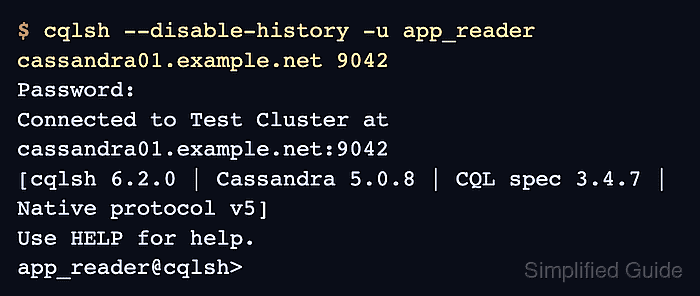
- Test the new password from a new cqlsh session.
$ cqlsh --disable-history -u app_reader cassandra01.example.net 9042
Password:
Connected to Test Cluster at cassandra01.example.net:9042
[cqlsh 6.2.0 | Cassandra 5.0.8 | CQL spec 3.4.7 | Native protocol v5]
Use HELP for help.
app_reader@cqlsh>
- Update every client secret that still uses the old password.
Applications with existing Cassandra driver connections may keep running until those connections reconnect. Rotate the stored secret first, then reopen or restart clients that keep long-lived connection pools.

Mohd Shakir Zakaria is a cloud architect with deep roots in software development and open-source advocacy. Certified in AWS, Red Hat, VMware, ITIL, and Linux, he specializes in designing and managing robust cloud and on-premises infrastructures.


