How to run Apache Cassandra repair
Running Apache Cassandra repair keeps replicas from drifting after missed writes, topology changes, or tombstone expiry windows. Repair should run while the target replicas are up and the cluster has enough disk, CPU, and network headroom, because the process compares token ranges and may stream data between nodes.
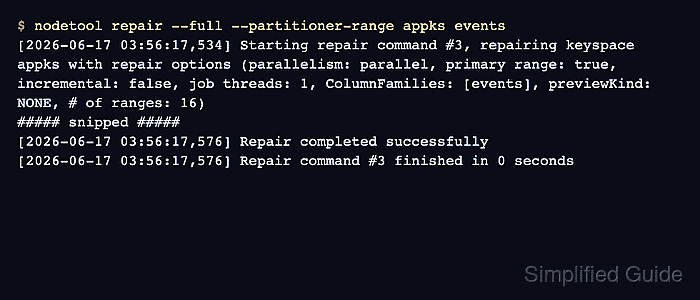
The nodetool repair command connects through JMX and repairs token ranges for the node it contacts. The command examples use a table-scoped full repair with --partitioner-range, which is the explicit mode commonly used when each node in each datacenter will be repaired without duplicating every replicated range.
Current Apache Cassandra releases run incremental repair when no repair mode is specified. Incremental repair fits clusters that already operate a regular incremental repair schedule, while --full reads all data in the selected range and is required after changes such as increasing a keyspace replication factor. Use --preview before the run when estimating repair work is safer than starting streaming immediately.
Steps to run Apache Cassandra primary-range repair:
- Check cluster membership from the node that will run repair.
$ nodetool status
Datacenter: datacenter1
=======================
Status=Up/Down
|/ State=Normal/Leaving/Joining/Moving
--  Address    Load        Tokens  Owns (effective)  Host ID                               Rack
UN  10.0.0.11  100.62 KiB  16      48.8%             8bcc1d88-5190-468b-a48d-3293ffe14460  rack1
UN  10.0.0.12  30.9 KiB    16      51.2%             14c69f94-47d1-4dc2-ae16-6b232a2cf8dd  rack1
Every replica involved in the selected keyspace or table should be UN before repair starts. Bring down or joining nodes back to a normal state first.
Related: How to check Apache Cassandra cluster status with nodetool - Check compaction pressure before starting repair.
$ nodetool compactionstats -H
concurrent compactors            2
pending tasks                    0
compactions completed            4
data compacted                   47.08 KiB
compactions aborted              0
compactions reduced              0
sstables dropped from compaction 0
15 minute rate                   0.26/minute
mean rate                        177.10/hour
compaction throughput (MiB/s)    64.0
Delay repair when pending compactions are high, free disk is low, or the node is already under write-heavy load.
- Preview the selected keyspace and table repair.
$ nodetool repair --preview --full --partitioner-range appks events
[2026-06-17 03:58:33,900] Starting repair command #5, repairing keyspace appks with repair options (parallelism: parallel, primary range: true, incremental: false, job threads: 1, ColumnFamilies: [events], previewKind: ALL, # of ranges: 16)
##### snipped #####
[2026-06-17 03:58:33,937] Previewed data was in sync
[2026-06-17 03:58:33,937] Repair preview completed successfully; Previewed data was in sync
Replace appks events with the keyspace and table that need repair. Omit the table name only when the whole keyspace is the intended repair scope.
- Run full primary-range repair for the selected table.
$ nodetool repair --full --partitioner-range appks events
[2026-06-17 03:56:17,534] Starting repair command #3, repairing keyspace appks with repair options (parallelism: parallel, primary range: true, incremental: false, job threads: 1, ColumnFamilies: [events], previewKind: NONE, # of ranges: 16)
##### snipped #####
[2026-06-17 03:56:17,576] Repair completed successfully
[2026-06-17 03:56:17,576] Repair command #3 finished in 0 seconds
Run the same primary-range repair on each node in each datacenter when the intent is to cover the whole cluster without duplicate range work.
- Confirm that the repair task completed.
$ nodetool tpstats
Pool Name                      Active Pending Completed Blocked All time blocked
RequestResponseStage           0      0       70        0       0
MutationStage                  0      0       57        0       0
##### snipped #####
Repair-Task                    0      0       3         0       0
##### snipped #####
AntiEntropyStage               0      0       12        0       0
Repair-Task and AntiEntropyStage counters should advance after a completed repair. The exact counts depend on previous repair and validation activity on the node.
- Check that repair streaming has stopped.
$ nodetool netstats
Mode: NORMAL
Not sending any streams.
Read Repair Statistics:
Attempted: 0
Mismatch (Blocking): 0
Mismatch (Background): 0
Pool Name                    Active   Pending      Completed   Dropped
Large messages                  n/a         0              1         0
Small messages                  n/a         0             47         0
Gossip messages                 n/a         0            256         0
If streaming remains active or the command fails, inspect Cassandra logs before retrying the repair.
Related: How to view Apache Cassandra logs