Changing a keyspace replication factor changes how many replicas Apache Cassandra assigns for that keyspace in each datacenter. The CQL update is fast, but existing data does not automatically move to the new replica set until repair or cleanup runs against the affected keyspace.
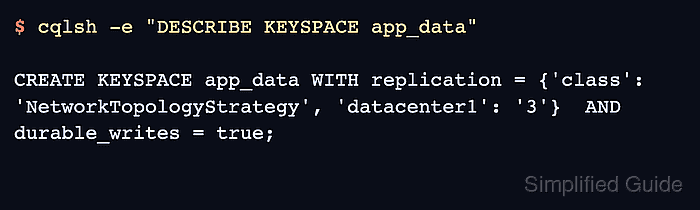
Cassandra stores the keyspace replication map in schema metadata. Production clusters normally use NetworkTopologyStrategy so each datacenter has its own factor, and the datacenter names must match the names shown by nodetool status or system.local.
Increasing a factor creates new replica responsibilities for old data, so run a full repair after the schema change. Reducing a factor leaves extra data on nodes that no longer own it, so run cleanup per affected node after the schema change. Keep application consistency levels and the maintenance window aligned until that follow-up work finishes.
Steps to change Apache Cassandra keyspace replication factor:
- Check the ring state and datacenter name from a Cassandra node.
$ nodetool status
Datacenter: datacenter1
=======================
Status=Up/Down
|/ State=Normal/Leaving/Joining/Moving
--  Address    Load        Tokens  Owns (effective)  Host ID                               Rack
UN  10.0.0.11  144.32 KiB  16      100.0%            8f4f6e2d-9f74-4f5a-a85f-43df5d4fcb21  rack1
UN  10.0.0.12  138.91 KiB  16      100.0%            4f48fd19-34bb-4b2c-96dd-0632ed0c9c8c  rack1
UN  10.0.0.13  141.07 KiB  16      100.0%            19c5db2d-4a4c-4b53-b379-7d00c44c2fb8  rack1
Use the exact datacenter name, including letter case, in the NetworkTopologyStrategy map. All expected serving nodes should show UN before the replication change.
- Describe the current keyspace replication map.
$ cqlsh -e "DESCRIBE KEYSPACE app_data;"

CREATE KEYSPACE app_data WITH replication = {'class': 'NetworkTopologyStrategy', 'datacenter1': '1'}  AND durable_writes = true;

##### snipped #####
Replace app_data with the application keyspace. Use cqlsh options such as --cqlshrc, --credentials, or --ssl when the cluster requires authentication or client TLS.
- Change the keyspace replication factor.
$ cqlsh -e "ALTER KEYSPACE app_data WITH replication = {'class': 'NetworkTopologyStrategy', 'datacenter1': 3};"

Warnings :
When increasing replication factor you need to run a full (-full) repair to distribute the data.
Use a factor the datacenter can satisfy. Cassandra warns if the requested factor is higher than the number of nodes in that datacenter.
- Verify that schema metadata shows the new replication map.
$ cqlsh -e "DESCRIBE KEYSPACE app_data;"

CREATE KEYSPACE app_data WITH replication = {'class': 'NetworkTopologyStrategy', 'datacenter1': '3'}  AND durable_writes = true;

##### snipped #####
Until repair finishes after an increase, new replicas may not hold rows written before the change. Use a maintenance window and read consistency that still consults replicas with the existing data.
- Run a full repair when the factor was increased.
$ nodetool repair --full app_data
[2026-06-17 04:14:01,224] Starting repair command #12, repairing keyspace app_data with repair options (parallelism: parallel, primary range: false, incremental: false, job threads: 1, ColumnFamilies: [], dataCenters: [], hosts: [], previewKind: NONE)
##### snipped #####
[2026-06-17 04:19:42,771] Repair completed successfully
[2026-06-17 04:19:42,771] Repair command #12 finished in 5 minutes 41 seconds
Run the repair plan across the affected replica sets and datacenters. A repair command on one node is not the same as repairing the whole cluster.
Related: How to run Apache Cassandra repair - Run cleanup on affected nodes when the factor was reduced.
$ nodetool cleanup app_data
Skip cleanup when increasing the factor. Cleanup removes keys that no longer belong to a node after a replication or topology reduction, and Cassandra runs it per node.
- Check keyspace ownership after the follow-up task finishes.
$ nodetool status app_data
Datacenter: datacenter1
=======================
Status=Up/Down
|/ State=Normal/Leaving/Joining/Moving
--  Address    Load        Tokens  Owns (effective)  Host ID                               Rack
UN  10.0.0.11  152.44 KiB  16      100.0%            8f4f6e2d-9f74-4f5a-a85f-43df5d4fcb21  rack1
UN  10.0.0.12  149.20 KiB  16      100.0%            4f48fd19-34bb-4b2c-96dd-0632ed0c9c8c  rack1
UN  10.0.0.13  150.88 KiB  16      100.0%            19c5db2d-4a4c-4b53-b379-7d00c44c2fb8  rack1
Owns (effective) is calculated for the supplied keyspace. Recheck from another node if gossip is still converging or a node reports a different ring view.

Mohd Shakir Zakaria is a cloud architect with deep roots in software development and open-source advocacy. Certified in AWS, Red Hat, VMware, ITIL, and Linux, he specializes in designing and managing robust cloud and on-premises infrastructures.


