How to install Anaconda on macOS
Anaconda Distribution on macOS gives a Mac user a local Python data-science stack plus the conda package and environment manager. Installing from the official Apple Silicon shell installer keeps the files in the user's home directory and avoids the system-wide /opt/anaconda3 layout used by the graphical package.
Current upstream macOS builds target Apple Silicon. Anaconda stopped building new Intel Mac packages after August 15, 2025, so Intel systems need an older archived installer and may not receive new package builds. The ARM64 archive matches Anaconda's current requirement for Apple Silicon on macOS 12.1 or later.
The shell installer can run in silent mode with a chosen prefix, then source activates conda in the current terminal. conda init zsh is the persistent shell step for the default macOS shell and changes ~/.zshrc; managed Mac fleets should review that change or use a software delivery system when users cannot install applications themselves.
Related: Install Miniconda
Related: How to create a Conda environment
Related: How to uninstall Anaconda
Steps to install Anaconda Distribution on macOS:
- Confirm that the Mac uses Apple Silicon.
$ uname -m
arm64
The MacOSX-arm64 filename is for arm64 systems. If this command returns x86_64, use an archived MacOSX-x86_64 installer and note that new Intel Mac package builds have ended.
- Download the current Apple Silicon shell installer.
$ curl --fail --location --remote-name https://repo.anaconda.com/archive/Anaconda3-2025.12-2-MacOSX-arm64.sh
If the archive lists a newer MacOSX-arm64 installer, use the matching filename and SHA-256 value in the download and hash steps.
- Verify the installer hash against the official archive entry.
$ shasum -a 256 Anaconda3-2025.12-2-MacOSX-arm64.sh
8d0b858358456d4ee159feb0c4ee6d635590b777f8b9ffa4aa7553c469aae2b6  Anaconda3-2025.12-2-MacOSX-arm64.sh
Do not run the installer when the local hash differs from the archive hash. A mismatch means the file is incomplete, stale, or not the file listed by Anaconda.
- Review Anaconda's legal terms before running the silent installer.
https://anaconda.com/legal
- Install Anaconda Distribution into the current user's home directory.
$ bash ./Anaconda3-2025.12-2-MacOSX-arm64.sh -b -p "$HOME/anaconda3"
PREFIX=/Users/user/anaconda3
Unpacking bootstrapper...
Unpacking payload...
Installing base environment...
installation finished.
Use an empty destination such as $HOME/anaconda3. Pointing the installer at an existing conda prefix can damage environments that are already in use.
- Activate conda in the current terminal.
$ source "$HOME/anaconda3/bin/activate"
- Initialize conda for future zsh terminal windows.
$ conda init zsh
modified      /Users/user/.zshrc

==> For changes to take effect, close and re-open your current shell. <==
conda init zsh updates ~/.zshrc. Run conda init zsh --dry-run first on managed shell profiles, and disable automatic base activation separately if new terminals should not start in base.
Related: How to initialize Conda for a shell
Related: How to disable automatic activation of the Conda base environment - Open a new Terminal window.
- Confirm that the shell can run conda.
$ conda --version
conda 25.11.1
The exact version changes with the installer release. The command should run without command not found.
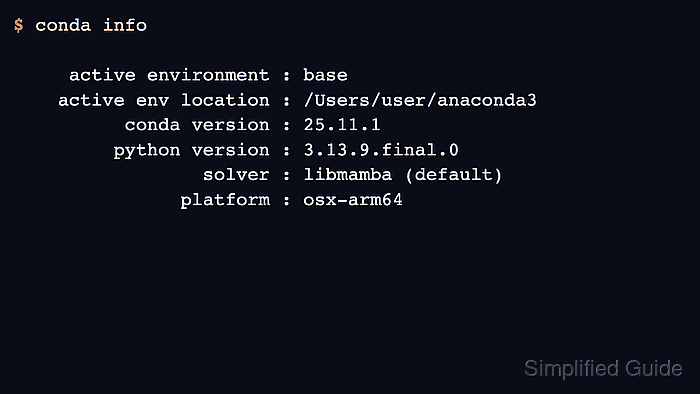
- Confirm that the base environment is the Apple Silicon install.
$ conda info active environment : base active env location : /Users/user/anaconda3 conda version : 25.11.1 python version : 3.13.9.final.0 solver : libmamba (default) platform : osx-arm64 ##### snipped ##### - Run a local Python smoke test from the Anaconda environment.
$ python -c "import sys; print(sys.version.split()[0])"
3.13.9
- Remove the downloaded installer after the install is verified.
$ rm Anaconda3-2025.12-2-MacOSX-arm64.sh
This removes only the shell installer in the current directory. It does not remove the Anaconda installation under $HOME/anaconda3.