How to check Conda environment health
A Conda environment can activate and still have missing package files, changed files, inconsistent dependencies, or configuration damage that affects later installs and imports. Running conda doctor checks the selected environment before deciding whether to repair, roll back, recreate, or remove it.
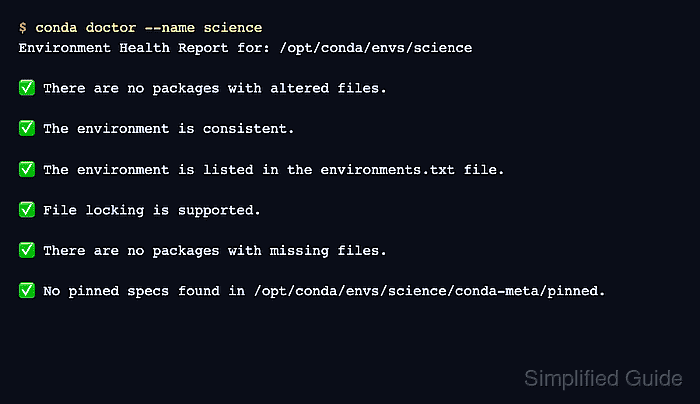
conda doctor runs registered health checks against one environment prefix. The built-in checks cover altered package files, missing files, dependency consistency, environments.txt registration, file-locking support, pinned-file syntax, and the REQUESTS_CA_BUNDLE setting when that variable is present.
Repair mode can reinstall packages or adjust environment metadata when a check has a fixer. Use --fix --dry-run first so the proposed changes are visible before any packages, pinned specs, or registration records are touched.
Related: How to list Anaconda environments
Related: How to roll back a Conda environment revision
Related: How to remove an Anaconda environment
Steps to check Conda environment health:
- List the available health checks and fix capabilities.
$ conda doctor --list
Available health checks:

  altered-files: Detect packages with modified files (fix: Reinstall affected packages)
  consistency: Check for missing or inconsistent dependencies (fix: Install missing dependencies)
  environment-txt: Verify environment is registered in environments.txt (fix: Add environment to environments.txt)
  file-locking: Check if file locking is supported
  missing-files: Detect packages with missing files (fix: Reinstall affected packages)
  pinned: Validate format of the pinned file (fix: Remove invalid specs from pinned file)
  requests-ca-bundle: Check REQUESTS_CA_BUNDLE environment variable
conda check is an alias for conda doctor, but conda doctor keeps the health-check command visible in saved runbooks.
- Run the health report against the target environment.
$ conda doctor --name science
Environment Health Report for: /opt/conda/envs/science

✅ There are no packages with altered files.

✅ The environment is consistent.

✅ The environment is listed in the environments.txt file.

✅ File locking is supported.

✅ There are no packages with missing files.

✅ No pinned specs found in /opt/conda/envs/science/conda-meta/pinned.
Replace science with the environment name. For a path-based environment, use --prefix with the full environment path instead of --name.
Related: How to list Anaconda environments - Re-run only the checks that match the suspected failure.
$ conda doctor --name science missing-files altered-files
Environment Health Report for: /opt/conda/envs/science

✅ There are no packages with altered files.

✅ There are no packages with missing files.
Use check names exactly as shown by --list. Targeted runs keep follow-up output shorter when an install, rollback, or file edit changed only one part of the environment.
- Preview automatic repairs before applying them.
$ conda doctor --name science --fix --dry-run
Environment Health Report for: /opt/conda/envs/science

✅ There are no packages with altered files.

✅ The environment is consistent.

✅ The environment is listed in the environments.txt file.

✅ File locking is supported.

✅ There are no packages with missing files.

✅ No pinned specs found in /opt/conda/envs/science/conda-meta/pinned.

============================================================
Running fixes...
============================================================

No packages with altered files found.
No inconsistent packages found.
Environment is already registered in environments.txt: /opt/conda/envs/science
No packages with missing files found.
No pinned file found at /opt/conda/envs/science/conda-meta/pinned
Run --fix without --dry-run only after the proposed changes match the intended repair. Use a rollback or recreate path instead when the report points to broad dependency inconsistency or damage after a risky package change.
Related: How to roll back a Conda environment revision
Related: How to remove an Anaconda environment - Check a prefix environment when the environment is managed by path.
$ conda doctor --prefix /opt/conda/envs/science missing-files altered-files
Environment Health Report for: /opt/conda/envs/science

✅ There are no packages with altered files.

✅ There are no packages with missing files.
--prefix is useful for project-local environments or shared installations where the environment name is not the clearest identifier.