Converting a PuTTY private key from .ppk to an OpenSSH private key allows the same credentials to work with OpenSSH tools on Windows, Linux, and macOS without regenerating keys or changing server authorization.
The conversion is a format change rather than a cryptography change: PuTTY stores private keys in a .ppk container, while OpenSSH expects an exported private key in either the newer OpenSSH key format or a legacy PEM-encoded format. PuTTYgen loads the existing key material, decrypts it using the passphrase when needed, and exports a compatible private key file.
An exported private key grants the same access as the original .ppk, so storage and transport need the same care as passwords. Exporting without a passphrase creates an unencrypted key file, and copying the key to Unix-like systems typically requires restrictive permissions to avoid OpenSSH refusing to use it.
Steps to convert PuTTY Private Key to OpenSSH private key using PuTTYgen:
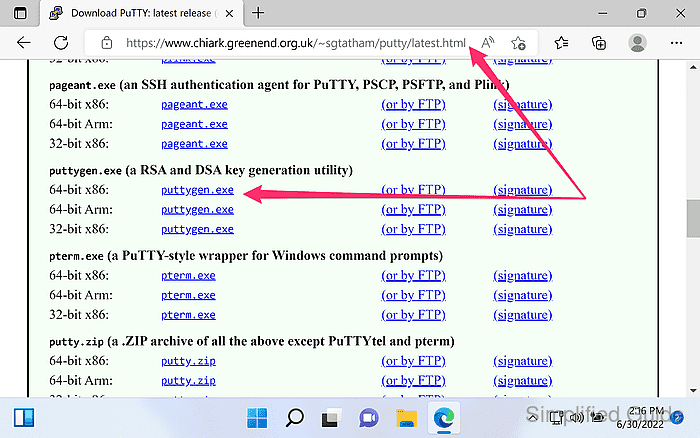
- Download PuTTYgen (puttygen.exe) from the official website.
https://www.chiark.greenend.org.uk/~sgtatham/putty/latest.html
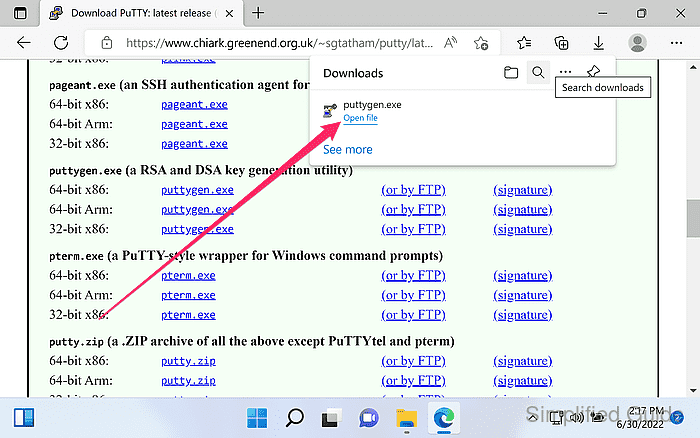
- Launch PuTTYgen.
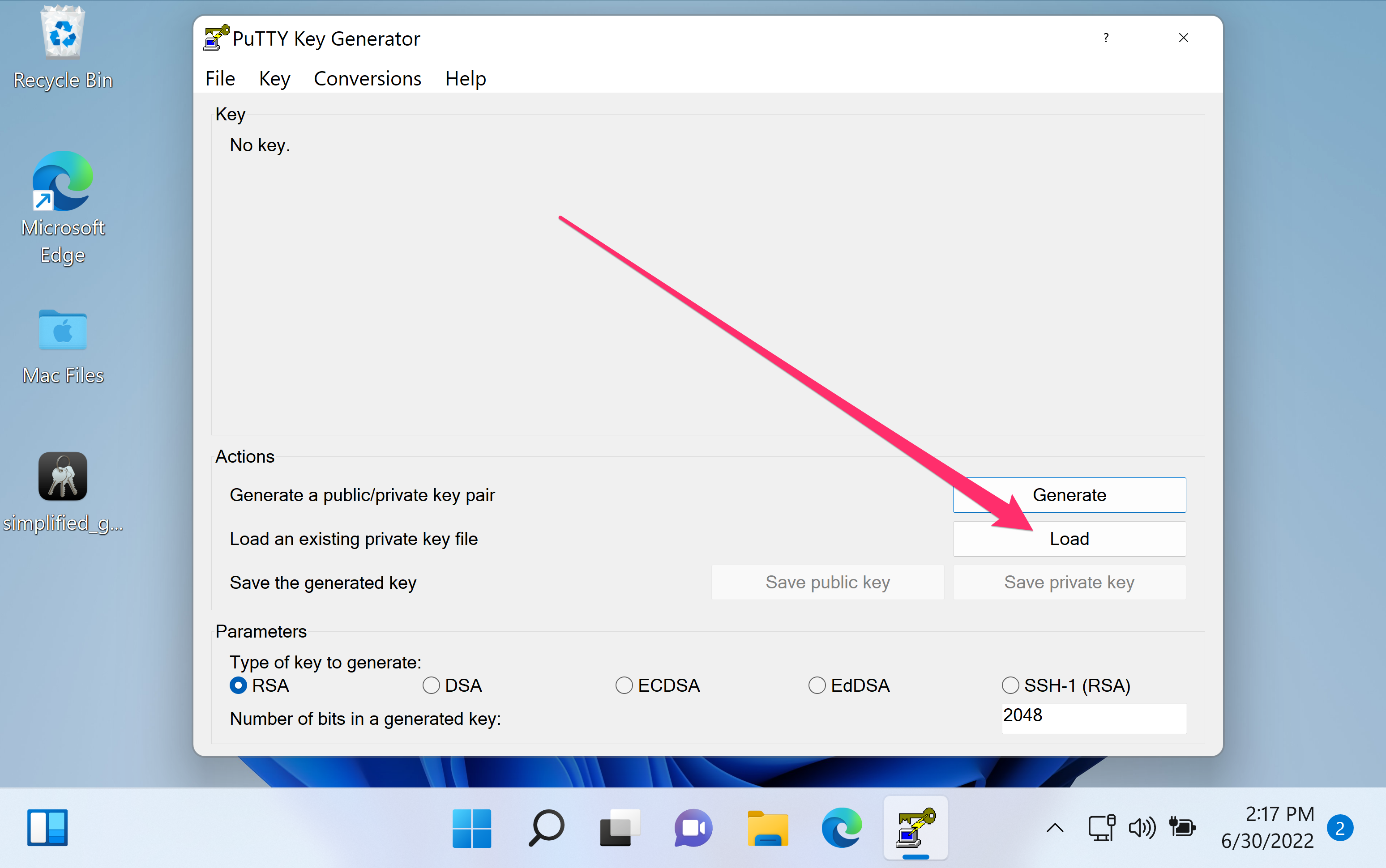
- Click Load in the main PuTTYgen window.
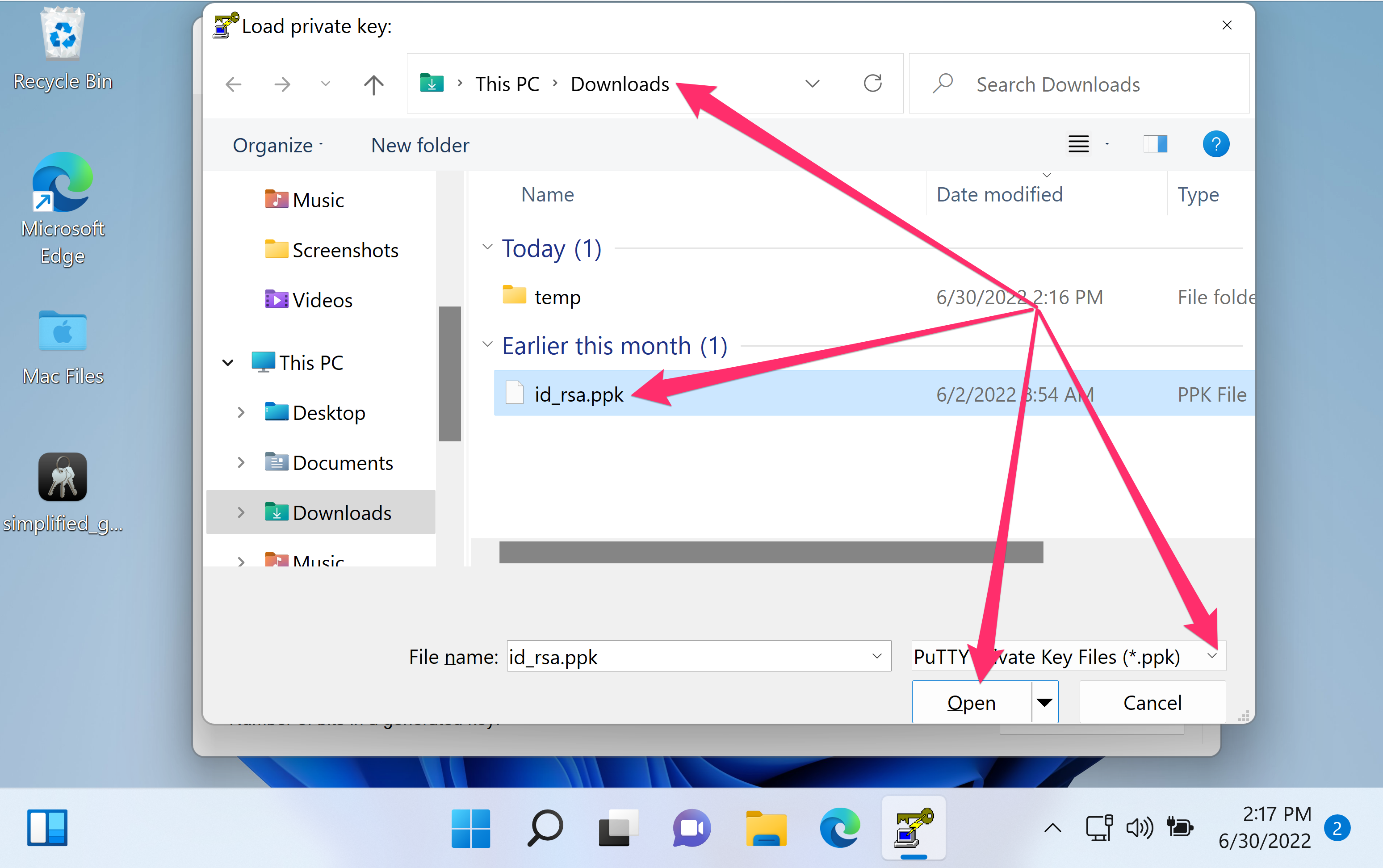
- Select the .ppk private key file and click Open.
- Enter the key passphrase and click OK if prompted.
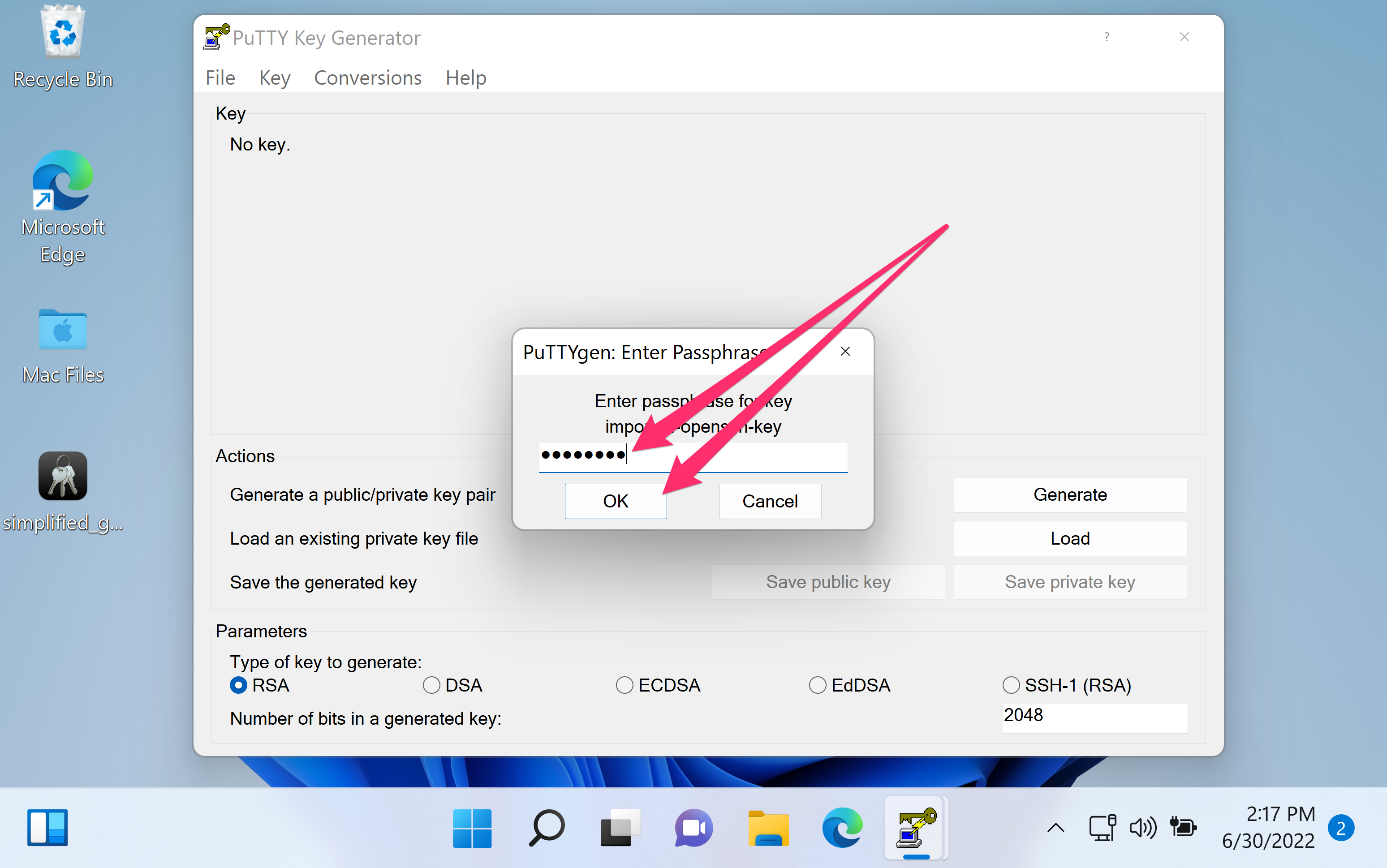
- Confirm the key type and comment shown in the main window.
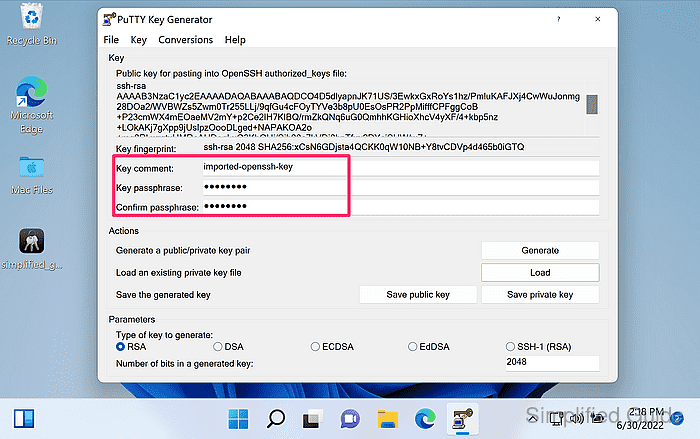
Use the Key passphrase fields to add or change a passphrase before exporting.
- Copy the public key line from Public key for pasting into OpenSSH authorized_keys file if server authorization needs to be updated.
Paste the copied line as a single line into ~/.ssh/authorized_keys on the target account.
- Open Conversions → Export OpenSSH key from the menu.
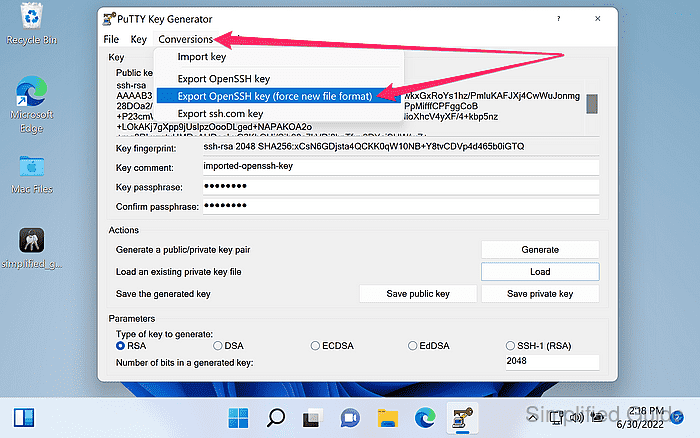
PuTTYgen can export in a legacy PEM format or the newer OpenSSH private key format, and Export OpenSSH key (force new file format) always produces an -----BEGIN OPENSSH PRIVATE KEY----- header.
- Select the destination and file name for the exported private key and click Save.
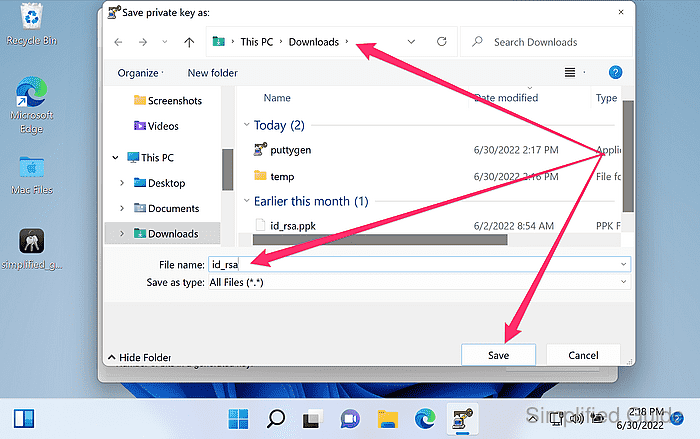
The exported private key file is sensitive; exposure grants access wherever the key is trusted.
- Verify the exported file begins with the expected header line, then compare the derived public key fingerprint before reusing the export.
-----BEGIN OPENSSH PRIVATE KEY-----
Some legacy exports begin with algorithm-specific headers such as -----BEGIN RSA PRIVATE KEY-----.
Tool: SSH Public Key Extractor

Mohd Shakir Zakaria is a cloud architect with deep roots in software development and open-source advocacy. Certified in AWS, Red Hat, VMware, ITIL, and Linux, he specializes in designing and managing robust cloud and on-premises infrastructures.


