Shell scripts often carry one value through argument defaults, display labels, and derived file paths. Zsh parameter expansion transforms that value while the shell substitutes it, so a script can build each form without starting basename, dirname, or another helper process.
Braces separate the parameter name from its operation. The :- operator supplies a fallback for an unset or empty parameter, flags such as (U) change the expanded text, :offset:length selects part of a scalar, and history-style modifiers such as :h, :t, :r, and :e transform path components.
Ordinary unquoted scalar expansions are not split on whitespace under native Zsh options unless SH_WORD_SPLIT is enabled. Quoting expansions used as command arguments still preserves empty values and keeps the script predictable if arrays or option changes are introduced later.
Related: How to use variables in Zsh
Related: How to use arrays in Zsh
Related: How to use glob qualifiers in Zsh
Related: Use parameter expansion in Bash
Steps to use parameter expansion in Zsh:
- Create expansion-demo.zsh with the service argument and log-path state.
- expansion-demo.zsh
#!/usr/bin/env zsh
emulate -L zsh
setopt err_exit no_unset

service=${1:-api-worker}
empty=""
log_path="/srv/app/releases/${service}.log"
${1:-api-worker} uses api-worker when the first argument is unset or empty. The braces also separate service from the .log suffix in ${service}.log.
- Add case conversion, substring selection, and path modifiers after the log_path assignment.
- expansion-demo.zsh
upper=${(U)service}
prefix=${service:0:3}
file=${log_path:t}
directory=${log_path:h}
rotated=${log_path:r}.1.${log_path:e}
${(U)service} uppercases the value, while the path modifiers select the filename, parent directory, root, and extension without inspecting the filesystem.
- Append the expanded values to the end of expansion-demo.zsh.
- expansion-demo.zsh
print -r -- "service=${service}"
print -r -- "fallback=${empty:-default-service}"
print -r -- "upper=${upper}"
print -r -- "prefix=${prefix}"
print -r -- "file=${file}"
print -r -- "directory=${directory}"
print -r -- "rotated=${rotated}"
- Check the completed script for Zsh syntax errors.
$ zsh -n expansion-demo.zsh
No output and exit status 0 mean that Zsh parsed the file successfully.
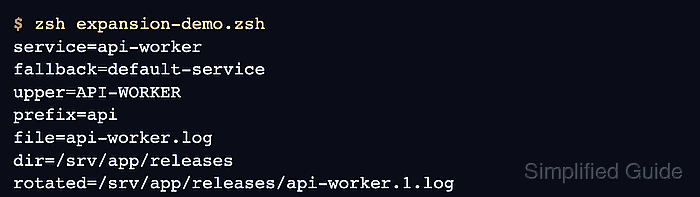
- Run the script without an argument to exercise the default and empty-value fallbacks.
$ zsh expansion-demo.zsh
service=api-worker
fallback=default-service
upper=API-WORKER
prefix=api
file=api-worker.log
directory=/srv/app/releases
rotated=/srv/app/releases/api-worker.1.log
- Run the script with frontend to confirm that every derived value follows the supplied argument.
$ zsh expansion-demo.zsh frontend
service=frontend
fallback=default-service
upper=FRONTEND
prefix=fro
file=frontend.log
directory=/srv/app/releases
rotated=/srv/app/releases/frontend.1.log

Mohd Shakir Zakaria is a cloud architect with deep roots in software development and open-source advocacy. Certified in AWS, Red Hat, VMware, ITIL, and Linux, he specializes in designing and managing robust cloud and on-premises infrastructures.


