Running WordPress cron from system cron replaces visitor-triggered checks with a scheduled server request to wp-cron.php. The change helps production sites run scheduled posts, update checks, cleanup tasks, and plugin jobs on a predictable interval even when traffic is low or page caching reduces normal visits.
WP-Cron normally checks due events during page loads. Setting DISABLE_WP_CRON in /wp-config.php stops that visitor-triggered spawn path, so a server cron entry must call the site's cron endpoint often enough for due events to be picked up.
A five-minute user crontab entry with curl is enough for most Linux-hosted sites, and WP-CLI provides the surrounding config and queue checks. Use a URL that the server can reach without an interactive login challenge, and keep the entry in the crontab that your hosting account or operations team monitors.
Steps to run WordPress cron from system cron:
- Change into the exact WordPress document root.
$ cd /var/www/example.com/public_html
Use the directory that contains wp-config.php. In automation, add --path=/var/www/example.com/public_html to each wp command instead of relying on the current directory.
- Confirm that WP-CLI is loading the intended site.
$ wp option get home
https://www.example.com
On multisite, add --url=https://www.example.com to site-specific WP-CLI commands so checks run against the intended site instead of the network default.
- Test the current WP-Cron spawn path before disabling visitor-triggered cron.
$ wp cron test
Success: WP-Cron spawning is working as expected.
The wp cron test command checks whether DISABLE_WP_CRON is already set and tries to spawn WP-Cron over HTTP. After the constant is enabled, this command should report that spawning is disabled.
- Confirm a rollback path for /wp-config.php.
Do not copy /wp-config.php to a web-readable backup filename inside the public document root. Use a deployment rollback, host snapshot, or protected backup location for this config change.
- Disable visitor-triggered WP-Cron in /wp-config.php.
$ wp config set DISABLE_WP_CRON true --raw
Success: Added the constant 'DISABLE_WP_CRON' to the 'wp-config.php' file with the raw value 'true'.
If the constant already exists, WP-CLI updates it instead of adding a second definition.
- Verify that the constant is stored as a raw boolean.
$ wp config get DISABLE_WP_CRON --type=constant --format=json
true
- Find the absolute path to curl.
$ command -v curl
/usr/bin/curl
Cron starts commands with a smaller environment than an interactive shell. Use the absolute curl path in the crontab entry instead of relying on PATH.
- Open the user crontab that should own the scheduled request.
$ crontab -e
Use the hosting account or operations account whose cron jobs are monitored. If your host requires a system crontab or a file under /etc/cron.d, include the required run-as username column for that format instead of copying the user-crontab line unchanged.
- Add a five-minute entry that requests wp-cron.php.
*/5 * * * * /usr/bin/curl -fsS -o /dev/null 'https://www.example.com/wp-cron.php?doing_wp_cron'
Replace the example hostname with the canonical public site URL or an internal URL that reaches the same WordPress install. Keep failure output visible so cron mail or logging can show HTTP errors.
Tool: Crontab Generator - List the crontab to confirm the saved entry.
$ crontab -l
*/5 * * * * /usr/bin/curl -fsS -o /dev/null 'https://www.example.com/wp-cron.php?doing_wp_cron'
- Request the WP-Cron endpoint once from the shell.
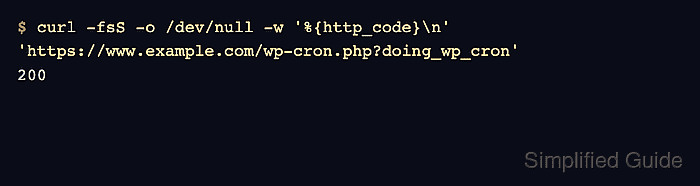
$ curl -fsS -o /dev/null -w '%{http_code}\n' 'https://www.example.com/wp-cron.php?doing_wp_cron'
200
A 200 response confirms the endpoint is reachable through the documented URL. A 401, 403, 404, or 5xx response means authentication, security rules, routing, or PHP execution must be fixed before cron can drive scheduled events.
- Inspect scheduled WordPress events after the trigger runs.
$ wp cron event list --fields=hook,next_run_relative,recurrence
hook                                next_run_relative     recurrence
wp_version_check                    54 minutes 48 seconds 12 hours
wp_privacy_delete_old_export_files  55 minutes 3 seconds  1 hour
wp_update_plugins                   1 hour 24 minutes    12 hours
wp_update_themes                    1 hour 54 minutes    12 hours
wp_site_health_scheduled_check      23 hours 55 minutes  1 week
recovery_mode_clean_expired_keys    23 hours 55 minutes  1 day
Rows that stay at now after repeated cron intervals usually mean the endpoint request is blocked, the cron daemon is not running the entry, or a plugin job is failing during execution.