When a firewall log, abuse report, or routing ticket starts with a public IP address, an AS lookup connects that address to the origin ASN and prefix visible from a public routing view before the result is used for escalation or filtering.
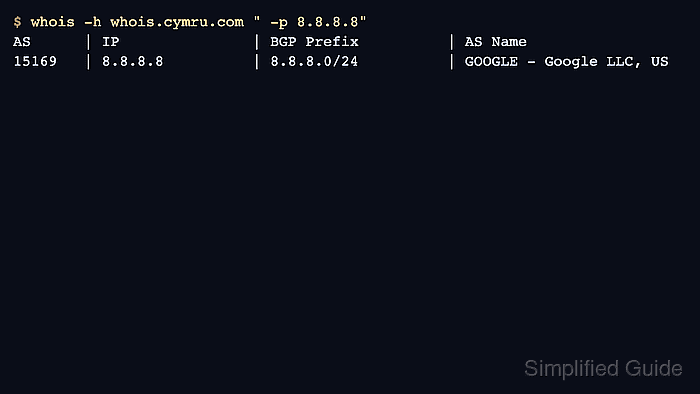
Team Cymru's WHOIS service maps an address to a BGP origin ASN and prefix, while registry WHOIS records identify the number-resource holder. Query both views when the decision needs source-labeled evidence instead of a single organization name copied from one lookup.
Routing data and registry data can disagree during transfers, route changes, proxying, or ordinary database lag. Treat the output as investigation evidence, not a legal ownership certificate, and record whether each claim came from a routing view, an ASN registration record, or an IP allocation record.
Related: How to query an ASN with whois
Related: How to query an IP address with whois
Steps to query AS routing details with whois:
- Query the IP-to-ASN routing view for the address.
$ whois -h whois.cymru.com " -v 8.8.8.8"
AS      | IP               | BGP Prefix          | CC | Registry | Allocated  | AS Name
15169   | 8.8.8.8          | 8.8.8.0/24          | US | arin     | 2023-12-28 | GOOGLE - Google LLC, US
Keep the leading space inside the quoted query so the local whois client sends -v to Team Cymru instead of treating it as a local option.
- Record the routing fields before checking registry ownership.
Routing source: Team Cymru IP-to-ASN WHOIS
Origin ASN:     AS15169
Origin prefix:  8.8.8.0/24
Registry hint:  arin
The routing view answers which ASN and prefix were visible for the address. It does not prove the full legal owner, every active route, or every possible BGP path.
- Query the registry record for the ASN when the AS number itself must be tied to a holder.
$ whois -h whois.arin.net AS15169
ASNumber:       15169
ASName:         GOOGLE
ASHandle:       AS15169
RegDate:        2000-03-30
Updated:        2012-02-24
Ref:            https://rdap.arin.net/registry/autnum/15169

OrgName:        Google LLC
OrgId:          GOGL
##### snipped #####
Use the registry named by the routing lookup or by an IANA referral. Regional registries format ASN records differently, so look for the ASN object, organization, status, dates, and registry reference.
Related: How to query an ASN with whois
- Query the registry record for the IP address when the prefix allocation also matters.
$ whois -h whois.arin.net 8.8.8.8
NetRange:       8.8.8.0 - 8.8.8.255
CIDR:           8.8.8.0/24
NetName:        GOGL
NetHandle:      NET-8-8-8-0-2
NetType:        Direct Allocation
Organization:   Google LLC (GOGL)
RegDate:        2023-12-28
Updated:        2023-12-28
Ref:            https://rdap.arin.net/registry/ip/8.8.8.0
##### snipped #####
The IP allocation record confirms the registered network block. It can still differ from the current origin ASN if routing has changed or a more-specific prefix is visible elsewhere.
- Verify that the final note separates routing and registration claims.
Routing origin:      AS15169, Team Cymru IP-to-ASN WHOIS
Routing prefix:      8.8.8.0/24, Team Cymru IP-to-ASN WHOIS
ASN registration:    AS15169 / Google LLC, ARIN WHOIS
IP registration:     8.8.8.0/24 / Google LLC, ARIN WHOIS
Decision boundary:   routing and registry sources agree for this lookup
For route-change investigations, add a current BGP collector or route-monitoring source before treating one WHOIS lookup as complete routing evidence.

Mohd Shakir Zakaria is a cloud architect with deep roots in software development and open-source advocacy. Certified in AWS, Red Hat, VMware, ITIL, and Linux, he specializes in designing and managing robust cloud and on-premises infrastructures.


