IANA WHOIS records identify the registry boundary before a domain, IP address, or AS number lookup moves to a more specific source. Starting there avoids a guessed WHOIS server returning thin, unrelated, or policy-limited output when the handoff matters for registration, routing, or abuse evidence.
The IANA service at whois.iana.org answers WHOIS queries on port 43 for root-zone delegations, .int, .arpa, global IP allocations, and AS number allocations. Its colon-delimited records usually expose the top-level domain registry, regional Internet registry, or referral server that owns the next lookup.
Treat the IANA response as service discovery and scope proof, not the complete registration record. TLD nameserver lines describe root-zone delegation for the top-level domain, while registrar, expiry, domain status, and detailed contact fields usually require the named registry WHOIS server or RDAP record.
Related: How to find a TLD WHOIS server
Related: How to follow a WHOIS referral server
Related: How to select a whois server
Related: How to query RDAP for a domain
Steps to check IANA WHOIS records:
- Query IANA for the top-level domain label.
$ whois -h whois.iana.org -p 43 com
% IANA WHOIS server
% for more information on IANA, visit http://www.iana.org
% This query returned 1 object

domain:       COM

organisation: VeriSign Global Registry Services
##### snipped #####
whois:        whois.verisign-grs.com

status:       ACTIVE
source:       IANA
Use the TLD label without the leading dot. The -p 43 option makes the WHOIS port explicit for minimal clients that do not map the default WHOIS service name.
- Check the record scope before using the referral.
domain:       COM
source:       IANA
A TLD record is not the same as a second-level domain registration. It identifies the registry layer that controls names under that top-level domain.
- Copy the named WHOIS or referral server when a more specific lookup is needed.
whois: whois.verisign-grs.com
Related: How to find a TLD WHOIS server
Related: How to select a whois server - Query IANA for an IP address when the starting point is a network or abuse handoff.
$ whois -h whois.iana.org -p 43 8.8.8.8
% IANA WHOIS server
% for more information on IANA, visit http://www.iana.org
% This query returned 1 object

refer:        whois.arin.net

inetnum:      8.0.0.0 - 8.255.255.255
organisation: Administered by ARIN
status:       LEGACY

whois:        whois.arin.net
source:       IANA
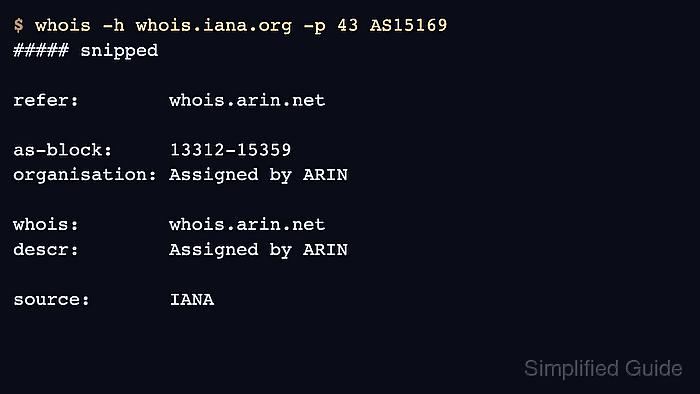
- Query IANA for an AS number when the starting point is an ASN.
$ whois -h whois.iana.org -p 43 AS15169
% IANA WHOIS server
% for more information on IANA, visit http://www.iana.org
% This query returned 1 object

refer:        whois.arin.net

as-block:     13312-15359
organisation: Assigned by ARIN

whois:        whois.arin.net
descr:        Assigned by ARIN

source:       IANA
- Query the referred registry only when the detailed record is required.
$ whois -h whois.arin.net AS15169
ASNumber:       15169
ASName:         GOOGLE
ASHandle:       AS15169
RegDate:        2000-03-30
Updated:        2012-02-24
Ref:            https://rdap.arin.net/registry/autnum/15169
##### snipped #####
OrgName:        Google LLC
OrgId:          GOGL
Related: How to follow a WHOIS referral server
Related: How to query RDAP for a domain - Treat TLD nameserver lines as root-zone delegation evidence only.
nserver:      A.GTLD-SERVERS.NET 192.5.6.30 2001:503:a83e:0:0:0:2:30
nserver:      B.GTLD-SERVERS.NET 192.33.14.30 2001:503:231d:0:0:0:2:30
These nameservers serve the TLD itself. They do not prove the authoritative nameservers for a second-level domain such as example.com.
- Save the IANA response when server choice must be attached to a ticket or handoff.
$ whois -h whois.iana.org -p 43 AS15169 > AS15169.iana.whois
The saved file should contain source: IANA and a refer or whois field when IANA knows a more specific registry server.

Mohd Shakir Zakaria is a cloud architect with deep roots in software development and open-source advocacy. Certified in AWS, Red Hat, VMware, ITIL, and Linux, he specializes in designing and managing robust cloud and on-premises infrastructures.


