Many API login, service-account, and client-credential endpoints accept a JSON request body and return a JSON Web Token JWT for later requests. With wget, the same shell workflow can request the token, save the JSON response, extract the bearer value, and make the protected API call.
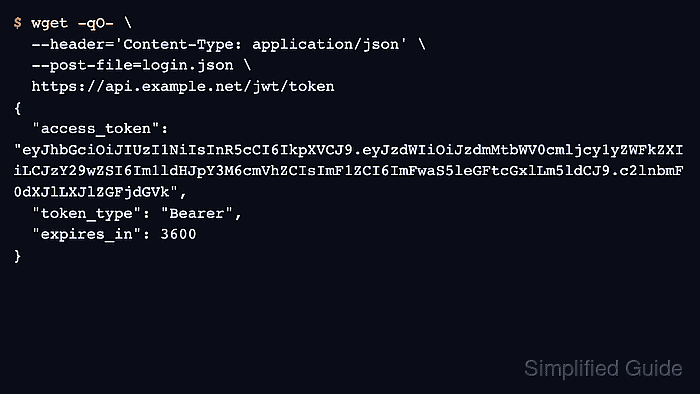
GNU wget does not have a JWT-specific login option. The normal pattern is to send the auth request with --post-file and a Content-Type: application/json header, save the JSON response, then reuse the returned token in an Authorization header on the protected request. If the token endpoint is not a standard POST endpoint, GNU Wget also supports --method with --body-file.
JWTs are bearer credentials, so any copied token can usually be replayed until expiry or revocation. Keep auth-response files out of shared directories, avoid printing full tokens in terminals or logs, and confirm the provider's real token field name before scripting around it.
Steps to authenticate using JSON Web Tokens in wget:
- Put the JSON auth payload in a file so the request body is easy to review before it is sent.
$ cat > login.json <<'JSON'
{
  "username": "svc-metrics-reader",
  "password": "replace-with-issued-secret"
}
JSON
A file-backed payload avoids fragile shell quoting and keeps longer JSON requests readable. Validate the JSON before sending it when the payload was edited by hand.
- Request the JWT from the auth endpoint and save the response body.
$ wget -qO auth-response.json \
  --header='Content-Type: application/json' \
  --post-file=login.json \
  https://api.example.net/jwt/token
For a standard token POST, --post-file is the shortest path. Use --method with --body-file only when the API expects a different HTTP method.
- Inspect the returned JSON field names without printing the full token.
$ jq 'keys' auth-response.json
[
  "access_token",
  "expires_in",
  "token_type"
]
Many services return the JWT in access_token, but some APIs use accessToken or token instead. Check the provider documentation before relying on a field name in automation.
- Extract the token into a shell variable and verify that a value was captured.
$ ACCESS_TOKEN="$(jq -re '.access_token // .accessToken // .token' auth-response.json)"
$ printf 'token bytes=%s\n' "${#ACCESS_TOKEN}"
token bytes=185
Do not paste the full JWT into support tickets, copied shell transcripts, screenshots, or CI logs. Decoding a JWT can help inspect claims, but it does not prove signature validity or authorization.
- Send the protected request with the bearer header and confirm that the API treats the call as authenticated.
$ wget -qO- --header="Authorization: Bearer ${ACCESS_TOKEN}" \
  https://api.example.net/jwt/protected
{
  "authenticated": true,
  "subject": "svc-metrics-reader",
  "scope": "metrics:read"
}
The protected endpoint should return the expected application payload, not an HTML sign-in page, redirect target, or auth error body.
- Remove the saved response and clear the token from the current shell when the request is finished.
$ rm -f auth-response.json login.json
$ unset ACCESS_TOKEN
Cleanup matters because the saved response file and the shell variable both contain reusable credentials until the token expires or is revoked.