Long downloads are harder to supervise when wget is running quietly for a script, cron job, or shared terminal transcript. A forced progress bar keeps the transfer visible without printing the full request log.
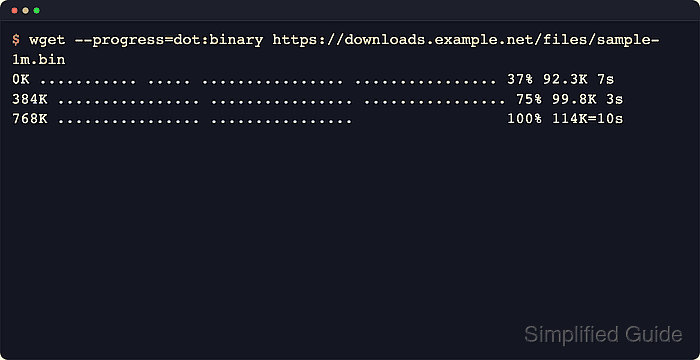
GNU wget normally uses the bar indicator on an interactive terminal and switches to dot output when terminal detection says output is not a TTY. --show-progress asks wget to keep progress visible outside normal verbose mode, while --progress=bar:force:noscroll keeps the bar style in captured terminals and prevents long filenames from sliding across the gauge.
The progress bar is display only. It does not change the saved filename, retry policy, exit status, or integrity of the downloaded file, so quiet transfers still need a file-size, checksum, or exit-status check after the bar reaches 100%.
Related: How to log wget output to a file
Related: How to configure default options in ~/.wgetrc
Tool: Wget Command Generator
Steps to show download progress in wget:
- Run the quiet download with --show-progress and force a non-scrolling bar when the output may be captured or redirected.
$ wget --show-progress --quiet --progress=bar:force:noscroll \
  https://downloads.example.net/releases/release-2026.06.tar.gz
release-2026.06.tar   0%[                    ]       0  --.-KB/s
release-2026.06.tar  12%[=>                  ] 320.00K  1.51MB/s
##### snipped #####
release-2026.06.tar 100%[===================>]   2.50M  1.19MB/s    in 2.1s
--quiet suppresses the normal request and save messages; --show-progress keeps the transfer gauge visible anyway.
- Confirm that the quiet transfer produced the expected file after the bar reaches 100%.
$ ls -lh release-2026.06.tar.gz
-rw-r--r-- 1 user user 2.5M Jun  6 10:18 release-2026.06.tar.gz
bar:force overrides the normal non-TTY fallback to dots, and noscroll keeps long filenames from sliding across the bar while it redraws.

Mohd Shakir Zakaria is a cloud architect with deep roots in software development and open-source advocacy. Certified in AWS, Red Hat, VMware, ITIL, and Linux, he specializes in designing and managing robust cloud and on-premises infrastructures.


