A total quota keeps one wget run from consuming more disk space or bandwidth than the job can spare. It matters most when the transfer pulls from a URL manifest or another automatic retrieval where the final size is not obvious before the run starts.
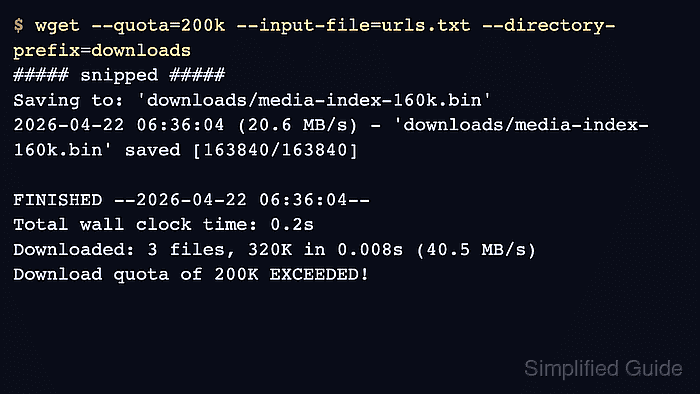
GNU wget applies this cap with --quota or -Q and accepts plain bytes plus k and m suffixes. The quota is checked after each completed file, not while bytes are still streaming, so the file that crosses the limit is saved and the next URL is not requested.
Because the check happens at file boundaries, the quota is not a hard per-file cutoff or an exact final directory size. Keep quota-controlled runs in their own directory so the saved files are easy to inspect, and use --quota=0 or --quota=inf only when the same manifest should run without a size cap.
Steps to limit total download size with wget:
- Save the target URLs in urls.txt, one URL per line.
urls.txt
https://downloads.example.net/exports/catalog-064k.bin
https://downloads.example.net/exports/inventory-delta-096k.bin
https://downloads.example.net/exports/media-index-160k.bin
https://downloads.example.net/exports/report-q4-032k.bin
Run the quota test from an empty working directory so the manifest and downloaded files stay easy to audit or remove.
- Run wget with the quota value and let it stop after the file that exhausts the budget finishes downloading.
$ wget --quota=200k --input-file=urls.txt --directory-prefix=downloads --no-verbose
2026-06-06 02:02:34 URL:https://downloads.example.net/exports/catalog-064k.bin [65536/65536] -> "downloads/catalog-064k.bin" [1]
2026-06-06 02:02:34 URL:https://downloads.example.net/exports/inventory-delta-096k.bin [98304/98304] -> "downloads/inventory-delta-096k.bin" [1]
2026-06-06 02:02:34 URL:https://downloads.example.net/exports/media-index-160k.bin [163840/163840] -> "downloads/media-index-160k.bin" [1]
FINISHED --2026-06-06 02:02:34--
Total wall clock time: 0.005s
Downloaded: 3 files, 320K in 0s (1.02 GB/s)
Download quota of 200K EXCEEDED!
The quota does not truncate a file mid-transfer, so a single large file can push the final total past the configured limit.
- Confirm the saved files before another script consumes the directory.
$ ls -lh downloads
total 320K
-rw-r--r-- 1 user user  64K Jun  6 02:02 catalog-064k.bin
-rw-r--r-- 1 user user  96K Jun  6 02:02 inventory-delta-096k.bin
-rw-r--r-- 1 user user 160K Jun  6 02:02 media-index-160k.bin
The fourth URL is absent because wget stopped after media-index-160k.bin pushed the cumulative total above 200K. Use --quota=0 or --quota=inf when you want the same manifest to run without the cap.

Mohd Shakir Zakaria is a cloud architect with deep roots in software development and open-source advocacy. Certified in AWS, Red Hat, VMware, ITIL, and Linux, he specializes in designing and managing robust cloud and on-premises infrastructures.


