Dead destinations interrupt navigation and leave visitors at error pages instead of the content they expected. A recursive site crawl exposes each failing URL together with the page where the link appears, so the defect can be traced to its source.
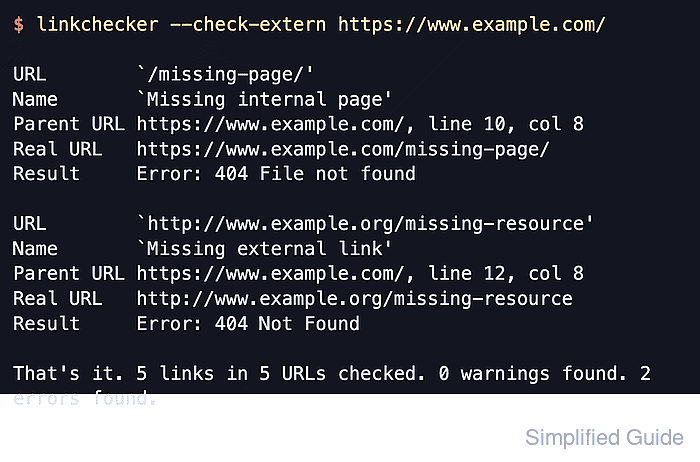
LinkChecker follows links from the starting URL and checks internal pages recursively. The --check-extern option also tests links that leave the starting domain, while Parent URL identifies the page containing the link and Real URL identifies the destination that failed.
The text report shows errors and warnings by default. Exit status 1 means invalid links were found, or enabled warnings occurred; exit status 0 means the checked scope returned neither condition, and exit status 2 indicates a program error rather than a link result.
Steps to check broken links on your website with LinkChecker:
- Run a recursive LinkChecker crawl from the public site root with external URL checks enabled.
$ linkchecker --check-extern https://www.example.com/
##### snipped #####

URL        `/missing-page/'
Name       `Missing page'
Parent URL https://www.example.com/, line 6, col 3
Real URL   https://www.example.com/missing-page/
Check time 0.844 seconds
Size       460B
Result     Error: 404 File not found

##### snipped #####

That's it. 3 links in 3 URLs checked. 0 warnings found. 1 error found.
Parent URL points to the page that contains each broken link. A clean crawl ends with zero errors and returns exit status 0.

Mohd Shakir Zakaria is a cloud architect with deep roots in software development and open-source advocacy. Certified in AWS, Red Hat, VMware, ITIL, and Linux, he specializes in designing and managing robust cloud and on-premises infrastructures.


