Traceroute shows which network hops respond as probes move toward a destination host. It is often missing from minimal Ubuntu and Debian systems, so installing the package gives operators a familiar command for route diagnostics before outages or firewall questions need evidence.
Both distributions provide the command through the traceroute package in APT repositories. Current Ubuntu LTS packages place it in the universe component, while Debian stable publishes the same package name in the net section; the install command remains the same when the repository component is enabled.
The package installs Modern traceroute for Linux and registers the traceroute command through system alternatives. A short version check proves the binary is available, and a capped numeric trace confirms the command can send probes without leaving a long diagnostic run behind.
Steps to install traceroute on Ubuntu or Debian:
- Open a terminal with sudo privileges.
- Refresh the package index.
$ sudo apt update
- Install the traceroute package.
$ sudo apt install traceroute
On Ubuntu, the package is in the universe repository component. If APT cannot find it on a minimal host, enable universe in the host's APT sources, refresh the package index, and retry the install.
- Confirm the command reports its version.
$ traceroute --version
Modern traceroute for Linux, version 2.1.6
Copyright (c) 2016  Dmitry Butskoy,   License: GPL v2 or any later
The exact version follows the distribution release and update channel. The required signal is that traceroute runs instead of returning command not found.
- Run a short numeric trace to an authorized target.
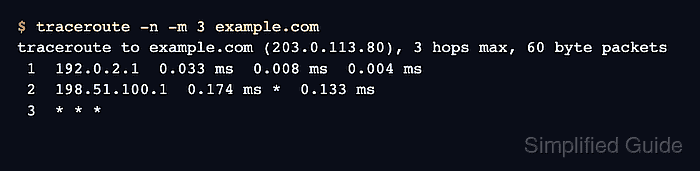
$ traceroute -n -m 3 example.com
traceroute to example.com (203.0.113.80), 3 hops max, 60 byte packets
 1  192.0.2.1  0.033 ms  0.008 ms  0.004 ms
 2  198.51.100.1  0.174 ms *  0.133 ms
 3  * * *
-n avoids DNS lookups in the hop list, and -m 3 limits the trace to three hops for a quick smoke test. Replace example.com with a host you operate or are allowed to test.
Related: How to interpret traceroute timeout hops

Mohd Shakir Zakaria is a cloud architect with deep roots in software development and open-source advocacy. Certified in AWS, Red Hat, VMware, ITIL, and Linux, he specializes in designing and managing robust cloud and on-premises infrastructures.


