Deploying a WAR file by filesystem handoff fits Ubuntu hosts where Tomcat is already installed from the distribution package and the application artifact has already been built. The deployment is complete only when the named archive lands in the package appBase, Tomcat expands or loads it, and the context URL returns the application response.
Ubuntu's tomcat10 package keeps deployed applications under /var/lib/tomcat10/webapps while the service runs as the tomcat user. A file named inventory.war becomes the /inventory/ context path, and a file named ROOT.war takes the root context.
Using install instead of a plain copy sets ownership and mode during the deployment. Restarting tomcat10 creates a clear deployment boundary, but it also interrupts every application in that service; use a maintenance window when other contexts are already serving traffic.
Steps to deploy a WAR file to Tomcat on Ubuntu:
- Open a terminal with sudo privileges.
- Confirm the Tomcat service is running before changing the deployment directory.
$ sudo systemctl is-active tomcat10
active
If the unit is missing or inactive, install or start Tomcat before deploying the application. Related: How to install Tomcat on Ubuntu
Related: How to check Tomcat service status on Linux - Choose the context path by naming the WAR file before it is copied.
For example, deploy target/inventory.war as inventory.war to serve the application at http://server:8080/inventory/. Use ROOT.war only when the application should answer at the Tomcat root context.
- Install the WAR into the packaged Tomcat appBase with tomcat ownership.
$ sudo install -o tomcat -g tomcat -m 0644 target/inventory.war /var/lib/tomcat10/webapps/inventory.war
The package default appBase is /var/lib/tomcat10/webapps. Keep the source artifact outside that directory so build files and temporary artifacts are not exposed as web applications.
- Restart Tomcat to force a controlled deployment pass.
$ sudo systemctl restart tomcat10
Restarting tomcat10 briefly stops every web application in the service. On hosts that rely on autoDeploy for no-restart handoffs, verify the Host configuration and watch the deployment evidence before skipping the restart.
- Confirm the service recovered after the restart.
$ sudo systemctl is-active tomcat10 active - Check that Tomcat expanded the deployed application.
$ sudo ls -d /var/lib/tomcat10/webapps/inventory /var/lib/tomcat10/webapps/inventory.war
/var/lib/tomcat10/webapps/inventory
/var/lib/tomcat10/webapps/inventory.war
If the expanded directory does not appear or disappears immediately, inspect the Tomcat logs and the application archive before retrying. Related: How to troubleshoot Tomcat WAR deployment failures
- Request the deployed context through the local Tomcat connector.
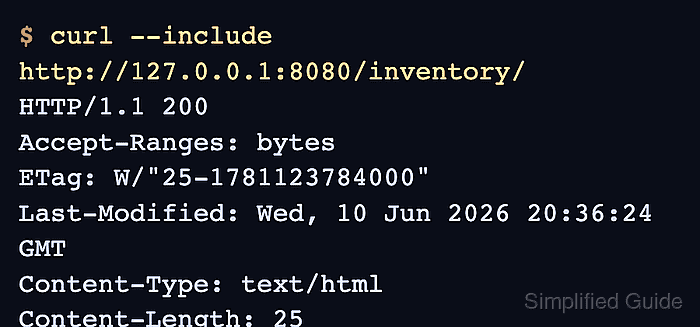
$ curl --include http://127.0.0.1:8080/inventory/
HTTP/1.1 200
Accept-Ranges: bytes
ETag: W/"25-1781123784000"
Last-Modified: Wed, 10 Jun 2026 20:36:24 GMT
Content-Type: text/html
Content-Length: 25
Date: Wed, 10 Jun 2026 20:36:30 GMT

Tomcat WAR deployment OK
A 200 response with application content confirms the archive was loaded at the expected context path. Test the public reverse proxy or firewall path separately when users reach Tomcat through another web server.

Mohd Shakir Zakaria is a cloud architect with deep roots in software development and open-source advocacy. Certified in AWS, Red Hat, VMware, ITIL, and Linux, he specializes in designing and managing robust cloud and on-premises infrastructures.


