A horizontal pane split keeps two tmux tasks stacked in one window so an editor, log view, or test run can stay visible while commands continue in the pane below.
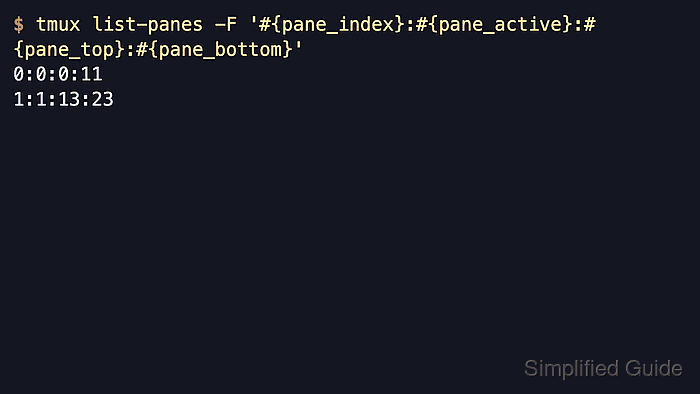
In tmux, a top-and-bottom layout is created by the default C-b “ binding, which runs split-window -v. tmux calls this a vertical split because the panes are stacked vertically, even though the divider drawn across the window is horizontal.
The new pane opens below the current pane and becomes active immediately unless -d is used with split-window -v. The example output was verified with tmux 3.6 on Ubuntu 26.04, and the same split can fail when the current pane is already too small or when custom bindings in ~/.tmux.conf replace the default shortcut.
Related: How to split a pane vertically in tmux
Related: How to resize panes in tmux
Steps to split a pane horizontally in tmux:
- Show pane numbers if the target pane is not obvious.
C-b q
The temporary overlay identifies the pane that will be split and lets one number key jump focus to it.
- Press the default top-and-bottom split binding in the active pane.
C-b "
If tmux reports there is no space for another pane, enlarge the terminal or close an unused pane before splitting again.
- List the panes to confirm the lower pane is active.
$ tmux list-panes -F '#P active=#{pane_active} row=#{pane_top}'
0 active=0 row=0
1 active=1 row=13
The custom row label prints each pane's top row. The active=1 row=13 line confirms pane 1 is the active lower pane.
- Move back to the upper pane when work should continue there.
C-b Up
The command-prompt form C-b : followed by split-window -v -d creates the lower pane without moving focus into it.

Mohd Shakir Zakaria is a cloud architect with deep roots in software development and open-source advocacy. Certified in AWS, Red Hat, VMware, ITIL, and Linux, he specializes in designing and managing robust cloud and on-premises infrastructures.


