A TCP handshake capture shows whether a connection attempt reaches the peer, receives a reply, completes, resets, or stalls. That packet sequence is often clearer than an application timeout message.
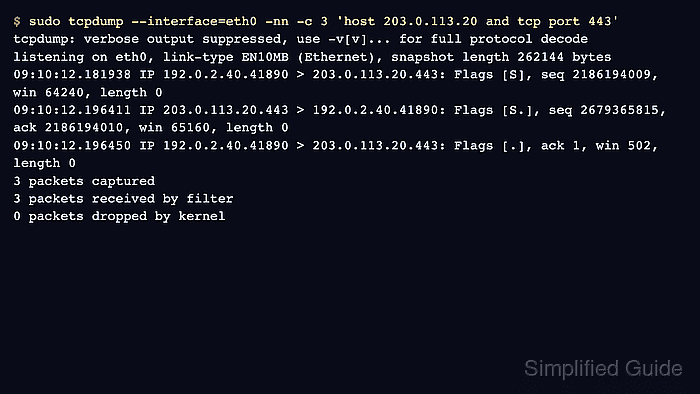
Tcpdump prints TCP flags in square brackets. A normal connection begins with SYN, then SYN-ACK, then ACK. Name resolution should stay disabled during the capture so the source, destination, and port numbers remain visible in the same form as firewall rules, load balancer logs, and client errors.
Handshake evidence is strongest when the capture runs on the client and, when possible, on the server or load balancer at the same time. One side can prove what it sent and received, but it cannot prove what happened beyond the capture point.
Steps to analyze a TCP handshake with tcpdump:
- Capture only the peer and service port involved in the test.
$ sudo tcpdump --interface=eth0 -nn -c 3 'host 203.0.113.20 and tcp port 443'
tcpdump: verbose output suppressed, use -v[v]... for full protocol decode
listening on eth0, link-type EN10MB (Ethernet), snapshot length 262144 bytes
09:10:12.181938 IP 192.0.2.40.41890 > 203.0.113.20.443: Flags [S], seq 2186194009, win 64240, length 0
09:10:12.196411 IP 203.0.113.20.443 > 192.0.2.40.41890: Flags [S.], seq 2679365815, ack 2186194010, win 65160, length 0
09:10:12.196450 IP 192.0.2.40.41890 > 203.0.113.20.443: Flags [.], ack 1, win 502, length 0
3 packets captured
3 packets received by filter
0 packets dropped by kernel
Start the command before the client tries to connect. The host and tcp port filter keeps unrelated sessions out of the evidence, while -c 3 stops after the three setup packets.
- Run the client action from another terminal while the capture is listening.
$ curl --connect-timeout 5 https://api.example.net/health
ok
- Confirm the packet direction and flag order.
Flags [S] from the client, Flags [S.] from the peer, and Flags [.] from the client prove that the TCP three-way handshake completed at this capture point. The dot in [S.] and [.] is the ACK flag in tcpdump output.
- Treat repeated SYN packets without a SYN-ACK as a reachability or filtering boundary before TCP is established.
$ sudo tcpdump --interface=eth0 -nn -c 3 'host 203.0.113.20 and tcp port 443'
09:12:44.301114 IP 192.0.2.40.41902 > 203.0.113.20.443: Flags [S], seq 1725156112, win 64240, length 0
09:12:45.328018 IP 192.0.2.40.41902 > 203.0.113.20.443: Flags [S], seq 1725156112, win 64240, length 0
09:12:47.343994 IP 192.0.2.40.41902 > 203.0.113.20.443: Flags [S], seq 1725156112, win 64240, length 0
A repeated SYN pattern means this capture point saw outbound connection attempts but no TCP answer. Compare a server-side or load balancer capture before changing the client when routing, firewall, or asymmetric paths are possible.
- Treat a reset as proof that a TCP packet came back, then inspect the listener or policy that rejected the connection.
$ sudo tcpdump --interface=eth0 -nn -c 2 'host 203.0.113.20 and tcp port 443'
09:13:22.904118 IP 192.0.2.40.41904 > 203.0.113.20.443: Flags [S], seq 1157090528, win 64240, length 0
09:13:22.918625 IP 203.0.113.20.443 > 192.0.2.40.41904: Flags [R.], seq 0, ack 1157090529, win 0, length 0
Flags [R.] from the peer usually moves the investigation away from raw reachability and toward the service listener, firewall reject rule, load balancer target state, or host TCP policy at the responding side.

Mohd Shakir Zakaria is a cloud architect with deep roots in software development and open-source advocacy. Certified in AWS, Red Hat, VMware, ITIL, and Linux, he specializes in designing and managing robust cloud and on-premises infrastructures.


