A saved kernel tunable can look correct on disk while the running value under /proc/sys still uses the old setting. On systemd hosts, systemd-sysctl is the boot-time path that reads sysctl.d drop-ins and writes those values into the kernel, so the apply step should prove both the saved file and the runtime value.
systemd-sysctl.service runs early in boot and invokes /usr/lib/systemd/systemd-sysctl. The service reads .conf files from /etc/sysctl.d, /run/sysctl.d, /usr/local/lib/sysctl.d, and /usr/lib/sysctl.d, with local administrator files under /etc/sysctl.d used for overrides. Files are sorted by filename, and when more than one file sets the same key, the lexicographically latest setting wins.
Examples use net.ipv4.ip_forward because the value can be read back immediately after applying the drop-in. Replace it with the intended tunable, keep a rollback value, and test from console access when changing routing, packet filtering, memory, or filesystem behavior. Use systemd-sysctl when validating the systemd boot path; sysctl --system is a procps path and can read /etc/sysctl.conf on some distributions, which is not the same service path.
Steps to apply a sysctl.d drop-in with systemd-sysctl:
- Check the current kernel value before changing it.
$ sysctl net.ipv4.ip_forward
net.ipv4.ip_forward = 0
Replace net.ipv4.ip_forward with the real key, such as vm.swappiness, fs.inotify.max_user_watches, or a network key under net.ipv4 or net.ipv6. Record the current value so the change can be rolled back quickly.
- Create a local sysctl.d drop-in file.
$ sudoedit /etc/sysctl.d/90-local-forwarding.conf
net.ipv4.ip_forward = 1
Use a filename ending in .conf. Local administrator files commonly use the 60-90 range so they sort after vendor files under /usr/lib/sysctl.d.
- Confirm the saved drop-in contains the intended assignment.
$ cat /etc/sysctl.d/90-local-forwarding.conf
net.ipv4.ip_forward = 1
- Apply the effective sysctl.d rule for that key through systemd-sysctl.
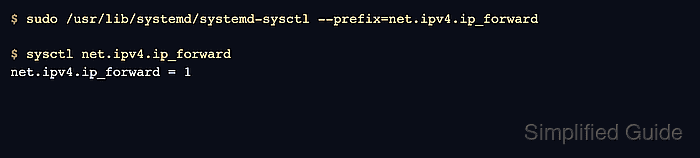
$ sudo /usr/lib/systemd/systemd-sysctl --prefix=net.ipv4.ip_forward
No output indicates the matching rule applied without a reported error. The --prefix form searches the normal sysctl.d configuration set and limits the write to matching keys.
- Verify the kernel now reports the new runtime value.
$ sysctl net.ipv4.ip_forward
net.ipv4.ip_forward = 1
If the value is unchanged, check for a later sysctl.d filename that sets the same key, a missing kernel module, a read-only container or namespace, or a key that appears only after a device or interface exists.
- Check the systemd-sysctl boot service on a normal systemd host.
$ systemctl status --no-pager --full systemd-sysctl.service
● systemd-sysctl.service - Apply Kernel Variables
     Loaded: loaded (/usr/lib/systemd/system/systemd-sysctl.service; static)
     Active: active (exited) since Sat 2026-06-13 09:20:14 UTC; 2min ago
       Docs: man:systemd-sysctl.service(8)
             man:sysctl.d(5)
    Process: 422 ExecStart=/usr/lib/systemd/systemd-sysctl (code=exited, status=0/SUCCESS)
   Main PID: 422 (code=exited, status=0/SUCCESS)
Use sudo systemctl restart systemd-sysctl.service only when the host should reapply every sysctl.d rule, not just one key.
Related: How to manage a service using systemctl

Mohd Shakir Zakaria is a cloud architect with deep roots in software development and open-source advocacy. Certified in AWS, Red Hat, VMware, ITIL, and Linux, he specializes in designing and managing robust cloud and on-premises infrastructures.


