Conflicting rsyslog snippets can make an edited rule look correct while the daemon reads a different order from the one the operator expected. Dumping the effective configuration shows the main file and included drop-ins after rsyslogd has expanded them, so rule order and source snippets can be checked before a reload or a deeper debug session.
The rsyslogd validation mode can write a combined configuration copy with the -o option. That copy keeps the included content in the position where rsyslog sees it and adds comment markers around each included file, which is useful when a rule appears in /etc/rsyslog.d but another file changes how messages reach it.
Run the dump from the main configuration file, usually /etc/rsyslog.conf, rather than from an isolated drop-in. The generated file is troubleshooting evidence, not the active configuration; it can expose forwarding targets, local paths, credentials, command actions, and comments from every included file, so keep it in a temporary location and remove it after inspection.
Steps to inspect effective rsyslog configuration:
- Open a terminal with sudo access on the host running rsyslog.
- Dump the effective configuration from the main rsyslog config file.
$ sudo rsyslogd -f /etc/rsyslog.conf -N3 -o /tmp/rsyslog-effective.conf
rsyslogd: version 8.2512.0, config validation run (level 3), master config /etc/rsyslog.conf
rsyslogd: End of config validation run. Bye.
Start from /etc/rsyslog.conf. Checking a single /etc/rsyslog.d file can hide dependencies, earlier filters, later stop statements, and include order from the rest of the configuration.
The validation run does not start another logging daemon, so it can be used while the running service continues to handle messages.
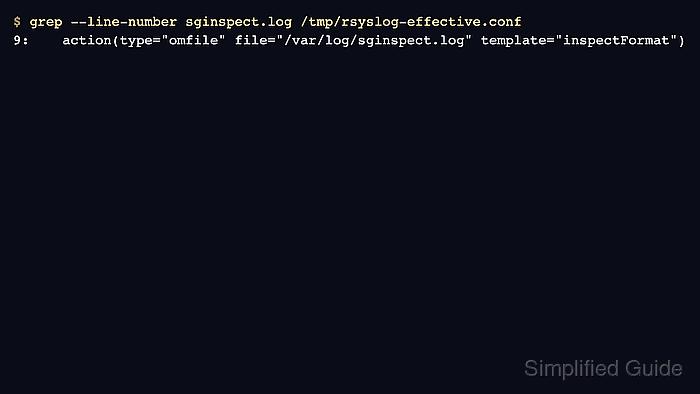
- Search the generated file for the destination, tag, template, ruleset, or directive being investigated.
$ grep --line-number sginspect.log /tmp/rsyslog-effective.conf
9:    action(type="omfile" file="/var/log/sginspect.log" template="inspectFormat")
A matching line confirms that rsyslog read the rule into the combined configuration. No output means the search text is absent from the effective copy, so check the include pattern and the drop-in file name before editing the generated file.
- Locate the include file that supplied the matched rule.
$ grep --line-number 40-sginspect.conf /tmp/rsyslog-effective.conf
6:##### BEGIN CONFIG: /etc/rsyslog.d/40-sginspect.conf (put on stack)
13:##### END   CONFIG: /etc/rsyslog.d/40-sginspect.conf
Edit the source file named in the BEGIN CONFIG marker. Do not copy changes into /tmp/rsyslog-effective.conf because the next dump will overwrite it.
- Open the generated file at the matched line when nearby rule order matters.
$ sudo less +9 /tmp/rsyslog-effective.conf
Look above the match for earlier filters, stop statements, ruleset boundaries, template definitions, and queue settings that can affect whether the action is reached.
- Validate the generated combined file before using it as evidence.
$ sudo rsyslogd -f /tmp/rsyslog-effective.conf -N1
rsyslogd: version 8.2512.0, config validation run (level 1), master config /tmp/rsyslog-effective.conf
rsyslogd: End of config validation run. Bye.
The generated copy parsing cleanly does not prove file permissions, destination reachability, queue health, or runtime message routing. Use a test message after the configuration path is understood.
Related: How to test rsyslog configuration syntax
Related: How to send a test syslog message - Remove the temporary effective configuration copy.
$ sudo rm /tmp/rsyslog-effective.conf
The generated file can contain internal host names, forwarding targets, credentials, command actions, and comments from every included file.

Mohd Shakir Zakaria is a cloud architect with deep roots in software development and open-source advocacy. Certified in AWS, Red Hat, VMware, ITIL, and Linux, he specializes in designing and managing robust cloud and on-premises infrastructures.


