When rsyslog accepts a configuration but still loses, rewrites, delays, or mishandles messages in a way that normal service logs do not explain, an on-demand debug log captures the daemon's internal path during a short reproduction window. Keep that window narrow because debug mode can slow message processing and the resulting file can expose details that do not belong in shared tickets.
A bounded service-level approach arms rsyslog with DebugOnDemand, restarts the service once, sends SIGUSR1 when the failing condition is about to be reproduced, then sends SIGUSR1 again to stop verbose output. RSYSLOG_DEBUGLOG names the file, and RSYSLOG_DEBUG=DebugOnDemand NoStdOut keeps debug output in that file instead of writing it to the service's standard output.
Use a temporary systemd drop-in under /run/systemd/system/ so the debug environment disappears on reboot and can be removed without touching the packaged unit file. On busy collectors, make the restart and the debug capture part of a maintenance or troubleshooting window, and do not leave debug logging active after collecting the evidence needed for the case.
Related: How to test rsyslog configuration syntax
Related: How to manage the syslog service
Related: How to send a test syslog message
Steps to create an rsyslog debug log:
- Open a terminal session with an account that can use sudo on the rsyslog host.
- Confirm that the rsyslog configuration parses before adding debug instrumentation.
$ sudo rsyslogd -N1
rsyslogd: version 8.2512.0, config validation run (level 1), master config /etc/rsyslog.conf
rsyslogd: End of config validation run. Bye.
Fix syntax errors before starting a debug window so the restart does not mix a configuration failure with the behavior being investigated.
- Create an empty root-only debug file.
$ sudo install -m 600 -o root -g root /dev/null /var/log/rsyslog-debug.log
Use a local filesystem with enough free space. rsyslog debug output can grow quickly while debug logging is active.
- Create a temporary systemd drop-in directory for the service.
$ sudo mkdir -p /run/systemd/system/rsyslog.service.d
- Open a dedicated debug drop-in file.
$ sudo vi /run/systemd/system/rsyslog.service.d/90-debug-on-demand.conf
- Add the debug environment to the drop-in file.
[Service]
Environment="RSYSLOG_DEBUG=DebugOnDemand NoStdOut"
Environment="RSYSLOG_DEBUGLOG=/var/log/rsyslog-debug.log"
DebugOnDemand arms the debug system without writing verbose output immediately. The NoStdOut option keeps the debug stream out of the service journal when RSYSLOG_DEBUGLOG is set.
- Reload the systemd manager and restart rsyslog so the service starts with the debug environment.
$ sudo systemctl daemon-reload
$ sudo systemctl restart rsyslog.service
This restart briefly interrupts rsyslog processing. Run it during a controlled maintenance or troubleshooting window on busy log collectors.
Related: How to manage the syslog service
- Confirm that rsyslog is running after the restart.
$ sudo systemctl is-active rsyslog.service
active
- Confirm that the debug environment is attached to the service unit.
$ sudo systemctl show rsyslog.service -p Environment
Environment=RSYSLOG_DEBUG=DebugOnDemand NoStdOut RSYSLOG_DEBUGLOG=/var/log/rsyslog-debug.log
- Turn debug logging on immediately before reproducing the problem.
$ sudo systemctl kill --kill-whom=main --signal=USR1 rsyslog.service
SIGUSR1 toggles rsyslog debug output only when debug support has been armed by the environment or equivalent debug settings.
- Reproduce the failing condition, or send a simple local test message if the goal is to prove the debug window works.
$ logger -t debug-window "debug-log-create smoke test"
Use the actual failing application, sender, forwarding path, or ruleset when the investigation depends on a real message path. The logger command only proves that the local debug window is collecting output.
Related: How to send a test syslog message
- Turn debug logging off as soon as the reproduction window is complete.
$ sudo systemctl kill --kill-whom=main --signal=USR1 rsyslog.service
Leaving debug logging active can slow rsyslog and fill disk space. The debug file may also contain usernames, passwords, message payloads, hostnames, and other sensitive values.
- Confirm that the debug file contains output.
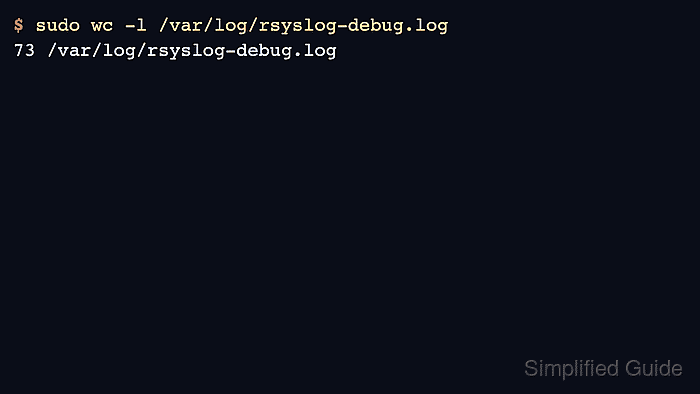
$ sudo wc -l /var/log/rsyslog-debug.log
73 /var/log/rsyslog-debug.log
The exact line count depends on the service version, loaded modules, and what happened while debug logging was active. A zero-line file usually means debug mode was not armed, the signal did not reach the main rsyslog process, or the reproduction happened before the first SIGUSR1.
- Check the debug file permissions before sharing or archiving it.
$ sudo ls -lh /var/log/rsyslog-debug.log
-rw------- 1 root root 7.1K Jun  5 01:06 /var/log/rsyslog-debug.log
- Remove the temporary debug drop-in.
$ sudo rm -f /run/systemd/system/rsyslog.service.d/90-debug-on-demand.conf
- Reload systemd and restart rsyslog so the service starts without the debug environment.
$ sudo systemctl daemon-reload
$ sudo systemctl restart rsyslog.service
- Confirm that the service is active after cleanup.
$ sudo systemctl is-active rsyslog.service
active
- Confirm that the debug environment is no longer attached to the service unit.
$ sudo systemctl show rsyslog.service -p Environment
Environment=
If the unit already used other environment variables, confirm only that RSYSLOG_DEBUG and RSYSLOG_DEBUGLOG are absent.

Mohd Shakir Zakaria is a cloud architect with deep roots in software development and open-source advocacy. Certified in AWS, Red Hat, VMware, ITIL, and Linux, he specializes in designing and managing robust cloud and on-premises infrastructures.


