Symfony's AssetMapper exposes files from /assets as versioned browser assets and generates an import map for JavaScript modules. It fits Symfony applications that need CSS and JavaScript without adding a bundler build step.
The Symfony Flex recipe installs the Asset component and Twig support alongside AssetMapper. On a Flex project, the recipe creates /assets/app.js, /assets/styles/app.css, /config/packages/asset_mapper.yaml, and /importmap.php, then wires the importmap('app') Twig function into /templates/base.html.twig.
Start from a working Symfony project where Composer can install packages and at least one route renders the base Twig layout. In development, Symfony serves mapped assets through the application; reserve asset-map:compile for deployment because compiled files in /public/assets can hide later asset edits until they are removed.
Related: How to create a Symfony project
Related: How to run a Symfony project locally
Related: How to create a Twig template in Symfony
Steps to install AssetMapper in Symfony:
- Open a terminal in the Symfony project root.
- Install AssetMapper and its Symfony asset/Twig dependencies.
$ composer require symfony/asset-mapper symfony/asset symfony/twig-pack
./composer.json has been updated
Running composer update symfony/asset-mapper symfony/asset symfony/twig-pack
##### snipped #####
  - Installing symfony/asset-mapper (v8.1.0): Extracting archive
  - Installing symfony/twig-pack (v1.0.1)
##### snipped #####
Executing script importmap:install [OK]
The exact package versions can differ. A Flex project should run the asset-mapper, twig-bundle, and importmap recipe scripts after dependency installation.
- Check the files created by the Flex recipe.
$ ls assets/app.js assets/styles/app.css config/packages/asset_mapper.yaml importmap.php templates/base.html.twig
assets/app.js
assets/styles/app.css
config/packages/asset_mapper.yaml
importmap.php
templates/base.html.twig
- Confirm that /importmap.php contains the app entrypoint.
- importmap.php
return [
    'app' => ['path' => './assets/app.js', 'entrypoint' => true],
];
Keep any other entries already present in the file, such as packages added with importmap:require.
- Confirm that the base layout calls importmap('app') inside the javascripts block.
- templates/base.html.twig
{% block javascripts %}
    {% block importmap %}[Twig output for importmap('app')]{% endblock %}
{% endblock %}
Symfony Flex writes a Twig output expression around the call. Keep importmap('app') inside the JavaScript block so pages that extend the base layout receive the import map.
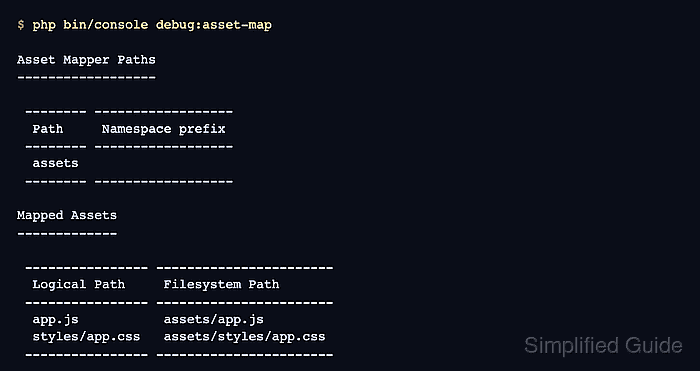
- List the mapped assets.
$ php bin/console debug:asset-map

Asset Mapper Paths
------------------

 -------- ------------------
  Path     Namespace prefix
 -------- ------------------
  assets
 -------- ------------------

Mapped Assets
-------------

 ---------------- -----------------------
  Logical Path     Filesystem Path
 ---------------- -----------------------
  app.js           assets/app.js
  styles/app.css   assets/styles/app.css
 ---------------- -----------------------
A full webapp project may show additional mapped assets from Stimulus, Turbo, or installed frontend packages.
- Request a local page that extends /templates/base.html.twig.
$ curl http://127.0.0.1:8000/asset-probe
<!DOCTYPE html>
<html>
##### snipped #####
<link rel="stylesheet" href="/assets/styles/app-cT2YKNc.css">
<script type="importmap" data-turbo-track="reload">
{
    "imports": {
        "app": "/assets/app-TNXHCQF.js"
    }
}
</script>
##### snipped #####
<script type="module" data-turbo-track="reload">import 'app';</script>
Replace /asset-probe with any route in the application that renders the base layout. A successful response should include an import map, a versioned app module URL, and the module import for app.

Mohd Shakir Zakaria is a cloud architect with deep roots in software development and open-source advocacy. Certified in AWS, Red Hat, VMware, ITIL, and Linux, he specializes in designing and managing robust cloud and on-premises infrastructures.


