Installing Vim on openSUSE or SLES provides a capable modal editor for shell sessions, remote maintenance, and quick file changes on systems where a full graphical editor is unnecessary or unavailable. A packaged install keeps the editor aligned with the distribution's dependency, security, and update workflow instead of dropping an unmanaged binary onto the host.
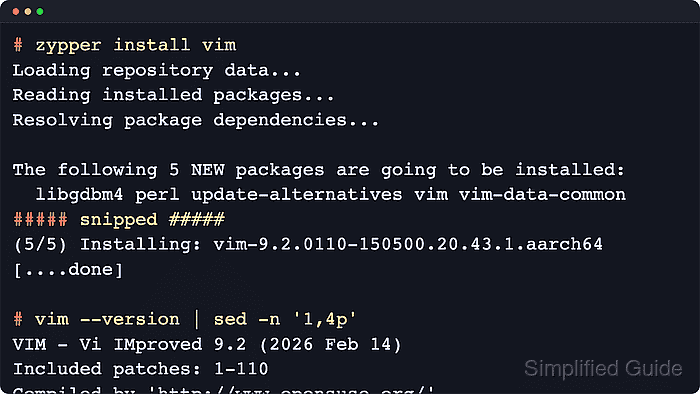
On current SUSE-family systems, the vim package is installed through zypper from the configured repositories, alongside the runtime files and supporting dependencies needed by the console editor. The packaged build also exposes the familiar /usr/bin/vim command and, on current SUSE packaging, wires the traditional /usr/bin/vi entry through the installed alternatives or package-provided link.
The package name stays the same across openSUSE Leap, openSUSE Tumbleweed, and current SLES 15 systems, but repository state still matters. The commands below assume a normal host with Internet access to the configured package sources and a user account that can run sudo; if a SLES system cannot find vim, identify the required module first and then retry the install.
Steps to install Vim on openSUSE and SLES:
- Confirm whether the host is running openSUSE Leap, openSUSE Tumbleweed, or SLES before installing packages.
$ . /etc/os-release
$ printf '%s %s\n' "$ID" "$VERSION_ID"
opensuse-leap 15.6
Typical values include opensuse-leap, opensuse-tumbleweed, and sles.
- Refresh repository metadata before installing the editor.
$ sudo zypper refresh
All repositories have been refreshed.
Trust a new repository GPG key only when the repository URL, key fingerprint, and owner match an expected official or internal source.
- Search for the exact vim package name before starting the transaction.
$ zypper search --match-exact vim
S  | Name | Summary     | Type
---+------+-------------+--------
   | vim  | Vi IMproved | package
On SLES, if no exact match appears, use sudo zypper search-packages vim to locate the module that provides the package, register that module, and then rerun the search.
- Install the packaged Vim editor.
$ sudo zypper install vim
The following 4 NEW packages are going to be installed:
  libgdbm4 perl vim vim-data-common

4 new packages to install.
##### snipped #####
(4/4) Installing: vim-9.1.0330-150500.20.12.1.aarch64 [.....done]
update-alternatives: using /usr/bin/vim-nox11 to provide /usr/bin/vim (vim) in auto mode
The exact dependency set varies by release. Current openSUSE Tumbleweed also pulls xxd, alts, and libalternatives1, while current SLES 15.7 installs update-alternatives with the editor.
- Verify that vim starts correctly and reports its installed build details.
$ vim --version | sed -n '1,5p'
VIM - Vi IMproved 9.2 (2026 Feb 14)
Included patches: 1-110
Compiled by 'http://www.opensuse.org/'
Huge version without GUI.  Features included (+) or not (-):
+acl                 +jumplist            -sodium
The exact version, patch level, and feature list differ between openSUSE Leap, Tumbleweed, and SLES, but the first line should confirm that vim is installed and runnable.

Mohd Shakir Zakaria is a cloud architect with deep roots in software development and open-source advocacy. Certified in AWS, Red Hat, VMware, ITIL, and Linux, he specializes in designing and managing robust cloud and on-premises infrastructures.


