Incident response often needs the file payload, not only the alert that identified a transfer. Suricata file extraction stores selected files reconstructed from inspected traffic, such as HTTP downloads or SMB transfers, so analysts can review the content or compare hashes later.
The packaged Linux configuration already contains a disabled file-store v2 output block under outputs. Enabling that block controls where extracted files are written, while the eve-log files event records metadata such as filename, state, hashes, and whether Suricata stored the file.
A file extraction rule should match only the traffic worth retaining. The sample rule stores matched HTTP responses, then an offline pcap check proves the behavior without using the production capture interface for the smoke test.
Related: How to add a local Suricata rule
Related: How to view Suricata alert logs
Steps to enable Suricata file extraction:
- Open the active Suricata configuration file.
$ sudoedit /etc/suricata/suricata.yaml
Most packaged Linux installs use /etc/suricata/suricata.yaml. If the service uses a different -c path, edit that file instead.
- Enable the file-store output under the outputs section.
  - file-store:
      version: 2
      enabled: yes
      dir: filestore
      write-fileinfo: yes
      stream-depth: 0
      force-hash: [md5]
A relative dir value is written under the default-log-dir, normally /var/log/suricata. file-store v2 names stored files by SHA256 automatically; force-hash adds the requested hashes to file metadata.
Do not enable force-filestore: yes on a production sensor unless storage, privacy, and retention policy allow every recognized file to be written.
- Confirm the eve-log files event is enabled.
      types:
        - files:
            force-magic: no
            force-hash: [md5]
The files event is the normal place to read fileinfo metadata. write-fileinfo: yes also writes a metadata JSON file beside the stored payload.
- Add a dedicated extraction rule file to the loaded rule-files list.
default-rule-path: /var/lib/suricata/rules

rule-files:
  - suricata.rules
  - /etc/suricata/rules/file-extraction.rules
Keep the managed ruleset in suricata.rules and place local extraction rules in a separate file so rule updates do not hide the local policy.
- Create the extraction rule file.
$ sudoedit /etc/suricata/rules/file-extraction.rules
- Add a focused filestore rule.
alert http any any -> any any (msg:"FILE store HTTP response"; filestore; sid:1000001; rev:1;)
This example stores HTTP files matched by the rule. Replace the protocol, addresses, ports, or content conditions with the traffic scope that should be retained.
- Test the configuration and extraction rule.
$ sudo suricata -T -c /etc/suricata/suricata.yaml -v
Info: detect: 2 rule files processed. 1 rules successfully loaded, 0 rules failed, 0 rules skipped
Notice: suricata: Configuration provided was successfully loaded. Exiting.
A clean test proves the YAML, output block, and rule syntax load together before the running sensor is restarted.
Related: How to test Suricata configuration - Restart Suricata to apply the output and rule-file changes.
$ sudo systemctl restart suricata
A restart briefly stops packet inspection. Schedule the change for a maintenance window when the sensor protects a production network.
Related: How to manage the Suricata service - Run an offline pcap that contains a file transfer matching the rule.
$ sudo suricata -r /tmp/http-file-download.pcap -c /etc/suricata/suricata.yaml -l /var/log/suricata
i: suricata: This is Suricata version 8.0.3 RELEASE running in USER mode
i: threads: Threads created -> RX: 1 W: 8 FM: 1 FR: 1   Engine started.
i: suricata: Signal Received.  Stopping engine.
i: pcap: read 1 file, 9 packets, 688 bytes
Use a sanitized capture that contains a transfer matching the extraction rule. Live interface validation belongs in a separate sensor test because it depends on capture permissions and network placement.
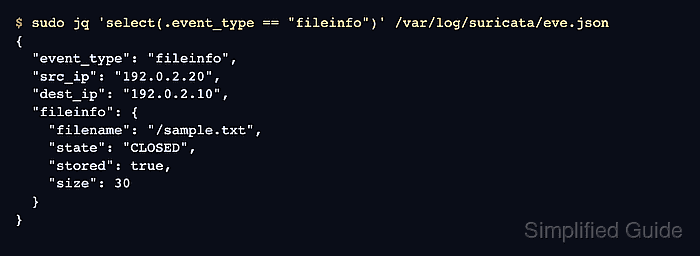
Related: How to test Suricata with pcap replay - Verify the fileinfo event reports a stored file.
$ sudo jq 'select(.event_type == "fileinfo")' /var/log/suricata/eve.json
{
  "event_type": "fileinfo",
  "src_ip": "192.0.2.20",
  "dest_ip": "192.0.2.10",
  "fileinfo": {
    "filename": "/sample.txt",
    "state": "CLOSED",
    "stored": true,
    "size": 30
  }
}
stored: true confirms that the rule and file-store output wrote the payload, not only the metadata event.
Related: How to read Suricata eve.json logs - List the stored payload and optional sidecar metadata.
$ sudo find /var/log/suricata/filestore -type f
/var/log/suricata/filestore/04/04a6e43aa405b09638010d60adc87edc152428a154e29b4f77f573ede0896030.1782372581.1.json
/var/log/suricata/filestore/04/04a6e43aa405b09638010d60adc87edc152428a154e29b4f77f573ede0896030
The file without the .json suffix is the extracted payload. The .json file appears because write-fileinfo: yes was enabled.

Mohd Shakir Zakaria is a cloud architect with deep roots in software development and open-source advocacy. Certified in AWS, Red Hat, VMware, ITIL, and Linux, he specializes in designing and managing robust cloud and on-premises infrastructures.


