A sudoers host alias keeps a shared policy from granting the same command on every machine that reads it. That matters when a deployment user, service account, or admin group should run a command on application hosts but not on database hosts, build hosts, or laptops that receive the same sudoers drop-in.
A Host_Alias names the host list used in the second field of a sudoers rule. Host alias members can be host names, IP addresses, networks, netgroups, other host aliases, or ALL, and the alias name must start with an uppercase letter and use uppercase letters, numbers, or underscores.
The host field is matched against the host identity known to sudoers, so start with the name returned by hostname on the systems that should match. Use visudo to write and validate the rule, then confirm the effective privileges with sudo -l -U on a matching host and, when the policy is distributed, on a host that should not match.
Related: Create a sudoers drop-in file
Related: Check sudoers syntax with visudo
Related: List sudo privileges for a user
Steps to create a sudoers host alias:
- Check the host name that should match the sudoers rule.
$ hostname
app01
Use the host name form that sudoers can match on that machine. If the policy uses fully qualified host names, enable and test the sudoers fqdn option intentionally; DNS lookup failures can affect sudo when that option is enabled.
- Open a sudoers drop-in with visudo.
$ sudo visudo -f /etc/sudoers.d/30-deployer-hosts
Related: How to create a sudoers drop-in file
- Add the host alias and the rule that uses it.
- /etc/sudoers.d/30-deployer-hosts
Host_Alias APP_HOSTS = app01, app02
deployer APP_HOSTS = (root) NOPASSWD: /usr/bin/id
Replace app01 and app02 with the hosts that should match, deployer with the user or group receiving the privilege, and /usr/bin/id with the exact command path to delegate.
Do not redefine an existing alias name. Use uppercase letters, numbers, and underscores for the alias name, and keep the command path as narrow as the delegated task allows.
- Save the file from the editor and validate the changed drop-in.
$ sudo visudo -cf /etc/sudoers.d/30-deployer-hosts
/etc/sudoers.d/30-deployer-hosts: parsed OK
If visudo reports a syntax error, fix it before closing the administrative shell that can still edit sudoers policy.
- Parse the complete sudoers policy after saving the drop-in.
$ sudo visudo -c
/etc/sudoers: parsed OK
Checking only one include file can miss interactions with the main sudoers file or other included files.
- List the target user's privileges on a matching host.
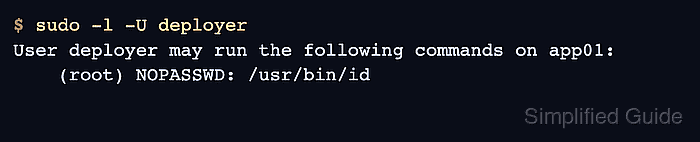
$ sudo -l -U deployer
User deployer may run the following commands on app01:
    (root) NOPASSWD: /usr/bin/id
The output should show the delegated command under the host that belongs to APP_HOSTS. If the rule is missing, recheck the host name, alias spelling, drop-in file name, rule order, and command path.
- Run the delegated command from the target account.
$ sudo -n /usr/bin/id
uid=0(root) gid=0(root) groups=0(root)
The -n option prevents an interactive password prompt, so a missing match or unexpected password requirement appears as command output during testing.
- Check the host name on a system that should not match the alias.
$ hostname
db01
- List the target user's privileges on the non-matching host.
$ sudo -l -U deployer
User deployer is not allowed to run sudo on db01.
The rule is host-scoped when the matching host lists the delegated command and the non-matching host does not.

Mohd Shakir Zakaria is a cloud architect with deep roots in software development and open-source advocacy. Certified in AWS, Red Hat, VMware, ITIL, and Linux, he specializes in designing and managing robust cloud and on-premises infrastructures.


