Sudo I/O logging is useful when an administrator must review what happened inside a privileged command, not just that sudo allowed it to start. Normal sudo logs can show the invoking user and command line while missing the terminal output and input that made the session risky or worth auditing.
The sudoers policy can attach I/O logging to selected commands with the LOG_INPUT and LOG_OUTPUT command tags, or enable it more broadly with log_input and log_output Defaults. The example below logs one delegated command and stores local session data under iolog_dir, which defaults to /var/log/sudo-io on sudo.ws sudo.
These settings require a sudo implementation with the sudoers I/O plugin. If sudo -V reports sudo-rs, or if visudo says LOG_INPUT is ignored or log_output is unknown, the installed implementation does not support this workflow. Input logs can contain passwords, tokens, and other secrets typed into the program, so use LOG_OUTPUT alone when command input should not be stored.
Related: Enable sudo command logging to a file
Related: View sudo logs
Steps to enable sudo I/O logging:
- Check that the installed sudo implementation includes the sudoers I/O plugin.
$ sudo -V
Sudo version 1.9.16p2
##### snipped #####
Sudoers I/O plugin version 1.9.16p2
The exact version may differ by distribution. The important signal is a sudo.ws-style version report with the Sudoers I/O plugin line.
- Choose the command and user that should be logged.
The example uses user deployer and /usr/bin/id so the verification command is safe to run. Replace both with the account and command that need audited I/O.
- Open a sudoers drop-in with visudo.
$ sudo visudo -f /etc/sudoers.d/50-io-logging
Do not edit sudoers policy with a normal text editor unless emergency recovery is already in progress. visudo locks the file and checks syntax before saving.
Related: Create a sudoers drop-in file
- Add the I/O log directory and command rule.
- /etc/sudoers.d/50-io-logging
Defaults iolog_dir="/var/log/sudo-io"
deployer ALL=(root) NOPASSWD: LOG_INPUT: LOG_OUTPUT: /usr/bin/id
LOG_INPUT records input sent to the command, including sensitive text if the program reads it. Use only LOG_OUTPUT when output review is enough, and remove NOPASSWD: when the target user should authenticate before running the command.
- Validate the complete sudoers policy.
$ sudo visudo -c
/etc/sudoers: parsed OK
/etc/sudoers.d/50-io-logging: parsed OK
/etc/sudoers.d/README: parsed OK
Some systems print only /etc/sudoers, while others print each parsed drop-in. Fix any syntax, owner, or permission error before testing the logged command.
Related: Check sudoers syntax with visudo
- List the target user's effective sudo policy.
$ sudo -l -U deployer
Matching Defaults entries for deployer on workstation:
    env_reset, mail_badpass,
    secure_path=/usr/local/sbin\:/usr/local/bin\:/usr/sbin\:/usr/bin\:/sbin\:/bin,
    use_pty, iolog_dir=/var/log/sudo-io

User deployer may run the following commands on workstation:
    (root) NOPASSWD: LOG_INPUT: LOG_OUTPUT: /usr/bin/id
The command list should show the same command and LOG_INPUT or LOG_OUTPUT tags that were added to the sudoers rule.
Related: List sudo privileges for a user
- Run the logged command from the target user's session.
$ sudo -n /usr/bin/id
uid=0(root) gid=0(root) groups=0(root)
Remove -n when the rule requires a password. The option is used here only to make the example fail instead of prompting if the NOPASSWD: tag is missing.
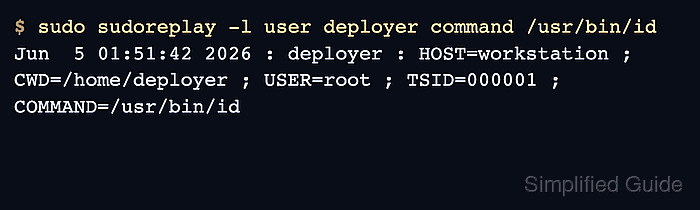
- List the captured I/O session with sudoreplay.
$ sudo sudoreplay -l user deployer command /usr/bin/id
Jun  5 01:51:42 2026 : deployer : HOST=workstation ; CWD=/home/deployer ; USER=root ; TSID=000001 ; COMMAND=/usr/bin/id
The TSID value is the session ID used for later replay. If iolog_dir points outside /var/log/sudo-io, add -d /path/to/iolog_dir to the sudoreplay command.

Mohd Shakir Zakaria is a cloud architect with deep roots in software development and open-source advocacy. Certified in AWS, Red Hat, VMware, ITIL, and Linux, he specializes in designing and managing robust cloud and on-premises infrastructures.


