Installing a snap package pulls an application from the Snap Store, mounts the selected revision, and exposes any commands or desktop entries declared by the package. The same snap install command works for small terminal tools, desktop applications, and service snaps, but each package still needs a quick post-install check.
The default install channel is usually latest/stable unless a different channel is requested. The snap info command shows publisher, confinement, commands, channels, and whether a package needs special flags such as --classic before the install command changes the host.
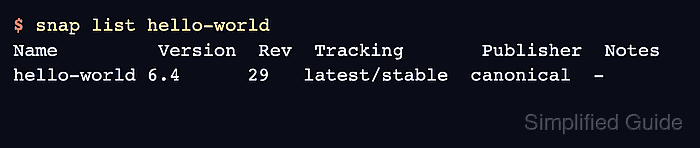
A completed install should appear in snap list and expose the expected command, app launcher, or service. Use a low-risk package such as hello-world for testing a new snapd host, then replace the package name with the application you actually need.
Related: How to install snapd on Debian
Related: How to check snap package information
Related: How to install a classic confinement snap
Steps to install a snap package:
- Inspect the package before installing it.
$ snap info hello-world
name:      hello-world
publisher: Canonical
summary:  The 'hello-world' of snaps
channels:
  latest/stable:    6.4
  latest/candidate: 6.4
  latest/beta:      6.4
  latest/edge:      6.4
Check the publisher and confinement fields before installing software on a managed host.
- Install the package from the default channel.
$ sudo snap install hello-world
hello-world 6.4 from Canonical installed
- Confirm that the package is installed.
$ snap list hello-world
Name         Version  Rev  Tracking       Publisher  Notes
hello-world 6.4      29   latest/stable  canonical  -
- Run the installed command.
$ hello-world
Hello World!
Desktop snaps may expose a launcher instead of a terminal command. Check snap apps <snap-name> when the command name is not obvious.
- Check the package commands when the snap exposes more than one app.
$ snap apps hello-world
App                  Version  Notes
hello-world          6.4      -
hello-world.env      6.4      -
hello-world.evil     6.4      -
hello-world.sh       6.4      -

Mohd Shakir Zakaria is a cloud architect with deep roots in software development and open-source advocacy. Certified in AWS, Red Hat, VMware, ITIL, and Linux, he specializes in designing and managing robust cloud and on-premises infrastructures.


