Snapd proxy settings control how the daemon reaches the Snap Store from networks that require an outbound HTTP, HTTPS, or FTP proxy. Setting the proxy at the snapd system layer keeps store installs, refreshes, and metadata lookups aligned with the network path that administrators allow.
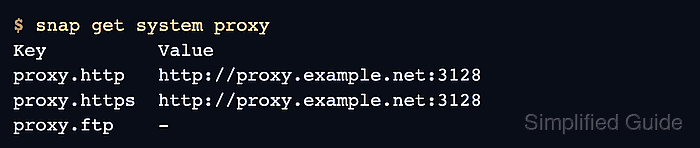
The settings live under system proxy.http, system proxy.https, and system proxy.ftp and are changed with snap set system. These values are not the same as a shell-only http_proxy environment variable, because store operations are performed by the daemon rather than by the interactive shell alone.
A completed configuration should be visible through snap get system proxy and should allow a store operation such as snap refresh –list or snap info <name> to complete through the proxy. Keep credentials out of command history where possible, and remove the setting when the host leaves the proxied network.
Related: How to check snap package information
Related: How to manage snap refresh schedule
Steps to configure snapd proxy settings:
- Check the current snapd proxy settings.
$ snap get system proxy
Key          Value
proxy.http   -
proxy.https  -
proxy.ftp    -
- Set the HTTP proxy.
$ sudo snap set system proxy.http="http://proxy.example.net:3128"
- Set the HTTPS proxy.
$ sudo snap set system proxy.https="http://proxy.example.net:3128"
Use the proxy URL and port supplied for the network. When credentials are required, prefer a protected shell history policy or another approved secret-handling path before placing them in a command line.
- Confirm that snapd saved the proxy values.
$ snap get system proxy
Key          Value
proxy.http   http://proxy.example.net:3128
proxy.https  http://proxy.example.net:3128
proxy.ftp    -
- Test Snap Store communication through the daemon.
$ snap refresh --list
Name      Version  Rev  Size  Publisher  Notes
core22    20260609 2115 77MB  canonical   base
No listed updates means the store was reachable and no installed snaps need refreshing. Network, authentication, or TLS errors point back to the proxy path.
- Remove the proxy settings when the host should connect directly.
$ sudo snap unset system proxy.http proxy.https proxy.ftp
Unset the values only when direct store access is allowed. Removing them on a proxy-only network can break future installs and refreshes.

Mohd Shakir Zakaria is a cloud architect with deep roots in software development and open-source advocacy. Certified in AWS, Red Hat, VMware, ITIL, and Linux, he specializes in designing and managing robust cloud and on-premises infrastructures.


