ONNX dynamic quantization turns the Transformer portion of a Sentence Transformers model into a smaller CPU-oriented ONNX Runtime file. It fits embedding services and local retrieval jobs where the model already works with the ONNX backend and the next task is reducing model footprint for CPU inference.
Sentence Transformers uses Optimum and ONNX Runtime for ONNX export, loading, optimization, and quantization. The Python environment needs the sentence-transformers[onnx] extra, and the model must be loaded with backend=“onnx” before export_dynamic_quantized_onnx_model() can write a quantized graph.
Dynamic quantization does not need calibration data, but the preset should match the CPU family that will run inference. The avx2 preset in the export script writes onnx/model_quint8_avx2.onnx for this model; use the generated filename in model_kwargs if you choose arm64, avx512, or avx512_vnni instead.
Steps to quantize a Sentence Transformers ONNX model:
- Install the CPU ONNX extra in the Python environment.
$ python -m pip install --upgrade "sentence-transformers[onnx]"
Use sentence-transformers[onnx-gpu] only when the same environment will load ONNX Runtime GPU providers.
- Create the ONNX quantization export script.
- export_quantized_onnx.py
from pathlib import Path

from sentence_transformers import SentenceTransformer, export_dynamic_quantized_onnx_model

model_id = "sentence-transformers/all-MiniLM-L6-v2"
output_dir = Path("miniLM-onnx-int8")
output_dir.mkdir(parents=True, exist_ok=True)

model = SentenceTransformer(
    model_id,
    backend="onnx",
    model_kwargs={"file_name": "onnx/model.onnx"},
)
model.save_pretrained(str(output_dir))

export_dynamic_quantized_onnx_model(
    model,
    "avx2",
    str(output_dir),
)

quantized_file = output_dir / "onnx" / "model_quint8_avx2.onnx"
print(f"saved: {quantized_file}")
print(f"exists: {quantized_file.exists()}")
print(f"bytes: {quantized_file.stat().st_size}")
model.save_pretrained() writes the local Sentence Transformers config files before the quantized ONNX file is added. A directory that contains only an ONNX file cannot reload as a local SentenceTransformer model.
- Run the export script.
$ python export_quantized_onnx.py
saved: miniLM-onnx-int8/onnx/model_quint8_avx2.onnx
exists: True
bytes: 23046789
- Create the reload smoke-test script.
- test_quantized_onnx.py
from pathlib import Path

from sentence_transformers import SentenceTransformer

model_dir = Path("miniLM-onnx-int8")
model = SentenceTransformer(
    str(model_dir),
    backend="onnx",
    model_kwargs={"file_name": "onnx/model_quint8_avx2.onnx"},
)

embeddings = model.encode(["Dynamic ONNX quantization reduces CPU model size."])
print(f"backend: {model.backend}")
print(f"embedding shape: {embeddings.shape}")
print(f"embedding dtype: {embeddings.dtype}")
- Run the reload smoke test.
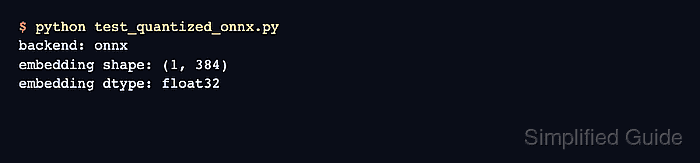
$ python test_quantized_onnx.py
backend: onnx
embedding shape: (1, 384)
embedding dtype: float32
The returned embedding array stays float32 because model quantization changes the ONNX model weights and operators, not the vector dtype returned by encode(). Use embedding quantization when the stored vectors also need lower precision.
Related: How to quantize embeddings with Sentence Transformers

Mohd Shakir Zakaria is a cloud architect with deep roots in software development and open-source advocacy. Certified in AWS, Red Hat, VMware, ITIL, and Linux, he specializes in designing and managing robust cloud and on-premises infrastructures.


