Sentence Transformers can run embedding inference through ONNX Runtime when a project needs an exported model format or a runtime separate from PyTorch. Loading a model with the onnx backend keeps the familiar SentenceTransformer.encode() API while the Transformer component runs from an ONNX file.
The backend requires the sentence-transformers[onnx] extra for CPU inference, or sentence-transformers[onnx-gpu] when ONNX Runtime GPU providers are required. A model repository can already contain ONNX files, or Sentence Transformers can export one on first load when the backend file is missing.
Use an explicit provider and file_name when the model directory contains more than one ONNX variant, such as optimized or quantized files under onnx/. Saving the loaded model avoids a fresh export on later starts and gives deployment code a local directory that can reload with local_files_only=True.
Steps to use the ONNX backend with Sentence Transformers:
- Activate the Python environment that will run ONNX inference.
$ source .venv/bin/activate
- Install the ONNX backend extra in the active environment.
(.venv) $ python -m pip install --upgrade "sentence-transformers[onnx]"
Use sentence-transformers[onnx-gpu] instead when the runtime must use GPU execution providers.
Related: How to install Sentence Transformers with pip - Create an ONNX backend smoke-test script.
- onnx_backend_check.py
from pathlib import Path

import onnxruntime as ort
from sentence_transformers import SentenceTransformer


model_id = "sentence-transformers/all-MiniLM-L6-v2"
provider = "CPUExecutionProvider"
save_dir = Path("all-minilm-l6-v2-onnx")

available_providers = ort.get_available_providers()
if provider not in available_providers:
    raise SystemExit(f"{provider} is not available")

model = SentenceTransformer(
    model_id,
    backend="onnx",
    model_kwargs={
        "provider": provider,
        "file_name": "onnx/model.onnx",
    },
)
embeddings = model.encode(
    [
        "billing question about an invoice",
        "password reset problem",
    ],
    normalize_embeddings=True,
    show_progress_bar=False,
)

print(f"backend: {model.get_backend()}")
print(f"available providers: {', '.join(available_providers)}")
print(f"embedding shape: {embeddings.shape}")

model.save_pretrained(save_dir)
print(f"saved ONNX file: {save_dir / 'onnx' / 'model.onnx'}")

reloaded = SentenceTransformer(
    str(save_dir),
    backend="onnx",
    model_kwargs={
        "provider": provider,
        "file_name": "onnx/model.onnx",
    },
    local_files_only=True,
)
reloaded_embedding = reloaded.encode(
    ["billing invoice question"],
    show_progress_bar=False,
)

print(f"reloaded backend: {reloaded.get_backend()}")
print(f"reloaded shape: {reloaded_embedding.shape}")
file_name selects the plain exported ONNX file when the repository also contains optimized or quantized variants. Remove it only when the default ONNX file is the exact file the application should load.
- Run the smoke-test script.
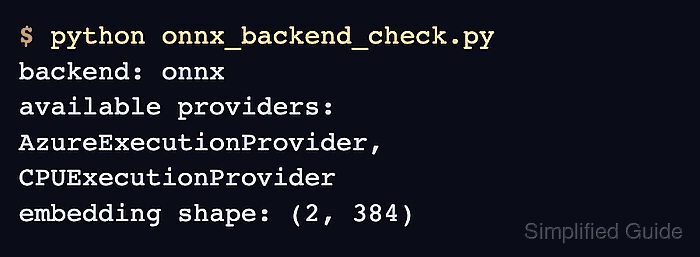
$ python onnx_backend_check.py
backend: onnx
available providers: AzureExecutionProvider, CPUExecutionProvider
embedding shape: (2, 384)
saved ONNX file: all-minilm-l6-v2-onnx/onnx/model.onnx
reloaded backend: onnx
reloaded shape: (1, 384)
The first shape value should match the number of input texts. backend: onnx confirms the SentenceTransformer object is using the ONNX backend, and the reloaded shape confirms the saved local directory can be used without another download.
- Remove the smoke-test script after the saved directory reloads.
$ rm onnx_backend_check.py
Keep all-minilm-l6-v2-onnx when the application should load the saved ONNX-backed model directory.

Mohd Shakir Zakaria is a cloud architect with deep roots in software development and open-source advocacy. Certified in AWS, Red Hat, VMware, ITIL, and Linux, he specializes in designing and managing robust cloud and on-premises infrastructures.


