Image-to-text retrieval depends on both input types landing in the same numerical space. Sentence Transformers can load a CLIP checkpoint that embeds a Pillow image and candidate captions through one encode() interface, making a compact cross-modal ranking check possible before building an index.
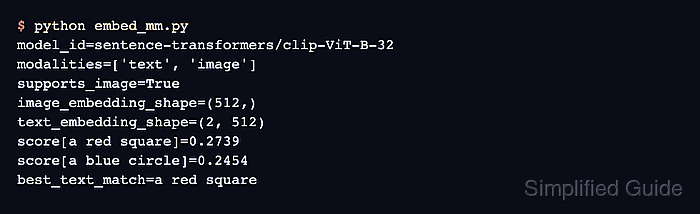
The sentence-transformers/clip-ViT-B-32 checkpoint accepts text and image inputs and returns 512-value vectors for both. Normalized vectors can be compared directly with model.similarity(), without a separate image preprocessing pipeline.
An in-memory red square keeps the run reproducible and avoids an external image download. The program reports the supported modalities and embedding shapes, then exits with an error unless a red square ranks above the unrelated labels.
Steps to generate multimodal embeddings with Sentence Transformers:
- Install the Sentence Transformers image dependencies in the active Python environment.
$ python -m pip install --upgrade "sentence-transformers[image]"
A project virtual environment isolates the model and image dependencies from other Python applications.
Related: How to install Sentence Transformers with pip - Create embed_mm.py with the model identifier, candidate labels, and reproducible test image.
- embed_mm.py
from PIL import Image, ImageDraw
from sentence_transformers import SentenceTransformer


MODEL_ID = "sentence-transformers/clip-ViT-B-32"
TEXT_LABELS = ["a red square", "a blue circle", "a green triangle"]

image = Image.new("RGB", (224, 224), "white")
draw = ImageDraw.Draw(image)
draw.rectangle((40, 40, 184, 184), fill=(220, 30, 30))
- Append the model-loading block below the image construction.
model = SentenceTransformer(MODEL_ID)
if not model.supports("image"):
    raise SystemExit(f"{MODEL_ID} does not support image inputs")
- Append the image and text encoding blocks below the modality guard.
image_embedding = model.encode(
    image,
    normalize_embeddings=True,
    convert_to_numpy=True,
    show_progress_bar=False,
)
text_embeddings = model.encode(
    TEXT_LABELS,
    normalize_embeddings=True,
    convert_to_numpy=True,
    show_progress_bar=False,
)
- Complete the program with similarity scoring, output, and fail-fast checks.
scores = model.similarity(image_embedding, text_embeddings)[0]
best_index = int(scores.argmax())

print(f"modalities={model.modalities}")
print(f"image_embedding_shape={image_embedding.shape}")
print(f"text_embedding_shape={text_embeddings.shape}")
for label, score in zip(TEXT_LABELS, scores):
    print(f"score[{label}]={float(score):.4f}")
print(f"best_text_match={TEXT_LABELS[best_index]}")

if image_embedding.shape[0] != text_embeddings.shape[1]:
    raise SystemExit("image and text embedding dimensions do not match")
if TEXT_LABELS[best_index] != "a red square":
    raise SystemExit("the generated image did not rank the matching text first")
- Run the completed program to verify the multimodal embedding result.
$ python embed_mm.py
modalities=['text', 'image']
image_embedding_shape=(512,)
text_embedding_shape=(3, 512)
score[a red square]=0.2678
score[a blue circle]=0.2446
score[a green triangle]=0.2392
best_text_match=a red square
The first run may download the model files from Hugging Face before producing the embedding output.

Mohd Shakir Zakaria is a cloud architect with deep roots in software development and open-source advocacy. Certified in AWS, Red Hat, VMware, ITIL, and Linux, he specializes in designing and managing robust cloud and on-premises infrastructures.


