Vector indexes accept one fixed vector length for each collection or field. A Sentence Transformers model therefore needs to match that stored dimension before an application writes documents or sends queries.
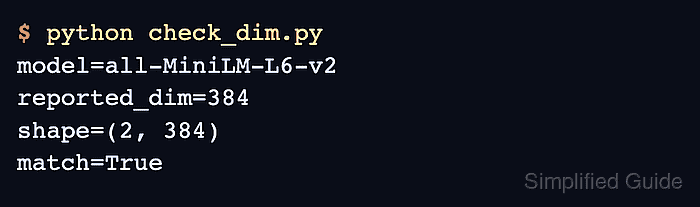
The model's get_embedding_dimension() method returns the output length configured by the loaded pipeline. Reading that value instead of guessing from the model name also exposes an unexpected model ID or a pooling layer with a different width.
The target vector index provides the expected value for the comparison. Applications that pass truncate_dim to encode() need an encoded array shape check because that call can return fewer dimensions than the model default.
Steps to check Sentence Transformers embedding dimensions:
- Check the application model against its target vector index dimension by substituting its model ID and expected dimension for the example values.
$ EXPECTED_DIM=384 python -c 'import os; from sentence_transformers import SentenceTransformer as S; d=S("sentence-transformers/all-MiniLM-L6-v2").get_embedding_dimension(); x=int(os.environ["EXPECTED_DIM"]); print(f"dimension={d} expected={x}"); assert d == x, f"dimension mismatch: model={d}, expected={x}"'
dimension=384 expected=384
A mismatch ends with an AssertionError instead of silently approving an incompatible model.
Related: How to truncate embedding dimensions with Sentence Transformers

Mohd Shakir Zakaria is a cloud architect with deep roots in software development and open-source advocacy. Certified in AWS, Red Hat, VMware, ITIL, and Linux, he specializes in designing and managing robust cloud and on-premises infrastructures.


