Changing the User-Agent in Scrapy changes the client string that target sites see on crawler requests. That matters when a site serves different layouts to desktop and mobile clients, rejects the default crawler signature early, or expects a browser-like identifier before it returns the normal page.
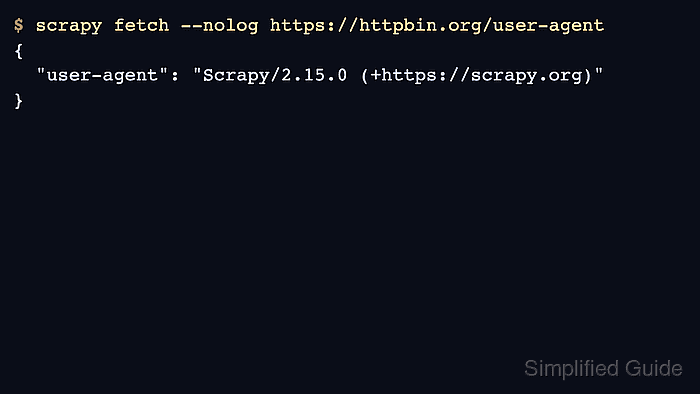
Current Scrapy releases still default USER_AGENT to Scrapy/<version> (+https://scrapy.org). Setting USER_AGENT in the project settings.py file changes that default for the whole project, and scrapy fetch is a practical verification command because it uses the same downloader stack that spiders use.
Changing only the User-Agent header does not bypass rate limits, JavaScript challenges, or fingerprinting based on other headers and request behavior. Current upstream docs also deprecate the spider user_agent attribute, so spider-specific overrides should use custom_settings or update_settings() instead of relying on that older attribute.
Related: How to set request headers in Scrapy
Related: How to use custom settings in Scrapy
Tool: User-Agent Parser
Steps to change the user agent for Scrapy spiders:
- Change to the Scrapy project root so the commands load the correct settings module.
$ cd /srv/catalog_demo
Run project commands from the directory that contains scrapy.cfg.
- Read the current project-level USER_AGENT value before changing it.
$ scrapy settings --get USER_AGENT
Scrapy/2.15.0 (+https://scrapy.org)
- Fetch a user-agent echo endpoint to confirm the default header leaving the crawler.
$ scrapy fetch --nolog \
  https://httpbin.org/user-agent
{
  "user-agent": "Scrapy/2.15.0 (+https://scrapy.org)"
}
Any endpoint that returns the received user agent works here, including an internal test route or a temporary local echo service.
- Test the replacement string on one command run before making it the project default.
$ scrapy fetch --nolog \
  -s USER_AGENT="Mozilla/5.0 SiteCheck/137.0" \
  https://httpbin.org/user-agent
{
  "user-agent": "Mozilla/5.0 SiteCheck/137.0"
}
Command-line settings have the highest precedence for that run only. Replace the short example value with the exact browser or device string needed for the target flow. Related: How to override Scrapy settings from the command line
- Open the project settings file in a text editor.
$ vi catalog_demo/settings.py
- Find the scaffolded USER_AGENT line or add the setting if the file no longer contains it.
#USER_AGENT = "catalog_demo (+http://www.yourdomain.com)" - Set USER_AGENT in settings.py to the value that the whole project should send by default.
USER_AGENT = (
    "Mozilla/5.0 SiteCheck/137.0"
)
If only one spider needs a different value, keep the project default here and put USER_AGENT in that spider's custom_settings or update_settings() instead.
- Read the resolved setting again to confirm Scrapy is loading the new project value.
$ scrapy settings --get USER_AGENT
Mozilla/5.0 SiteCheck/137.0
Invalid Python syntax in settings.py prevents scrapy settings, scrapy crawl, and scheduled runs from starting.
- Fetch the echo endpoint again to verify the updated User-Agent is leaving the crawler.
$ scrapy fetch --nolog \
  https://httpbin.org/user-agent
{
  "user-agent": "Mozilla/5.0 SiteCheck/137.0"
}

Mohd Shakir Zakaria is a cloud architect with deep roots in software development and open-source advocacy. Certified in AWS, Red Hat, VMware, ITIL, and Linux, he specializes in designing and managing robust cloud and on-premises infrastructures.


