Request headers in Scrapy decide how a server interprets each crawl request. They are commonly used to ask for a specific response type, keep a language preference consistent, or satisfy endpoints that only return data when a particular header is present.
Scrapy sends the headers from the current Request together with project defaults from DEFAULT_REQUEST_HEADERS. A header set on one request replaces only that same header name and leaves the other defaults in place.
Some header fields need extra care. Use Request.cookies for cookie state instead of a raw Cookie header, and set a header value to None when one request must omit a default header that the project normally sends.
Steps to set request headers in Scrapy:
- Define the headers that most requests should inherit in settings.py.
DEFAULT_REQUEST_HEADERS = {
    "Accept": "application/json",
    "Accept-Language": "en",
}
DefaultHeadersMiddleware adds these values to outgoing requests that do not already set the same header names.
- Add request-specific headers where one spider or one endpoint needs different values.
import scrapy

class ProductsSpider(scrapy.Spider):
    name = "products"

    def start_requests(self):
        yield scrapy.Request(
            "http://app.internal.example:8000/products",
            headers={
                "Accept": "application/vnd.api+json",
                "X-Requested-With": "XMLHttpRequest",
            },
            callback=self.parse,
        )

    def parse(self, response):
        yield {
            "url": response.url,
            "status": response.status,
        }
Request-level headers override only the matching keys, so this request keeps the project default Accept-Language while sending a different Accept value.
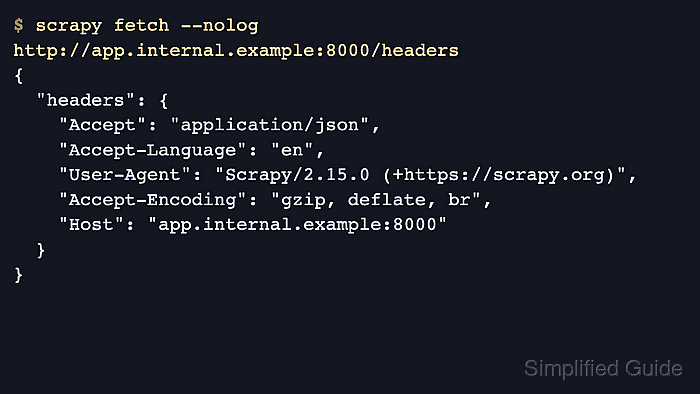
- Fetch a header echo endpoint from the project directory to confirm the shared defaults are leaving the crawler.
$ scrapy fetch --nolog http://app.internal.example:8000/headers
{
  "headers": {
    "Accept": "application/json",
    "Accept-Language": "en",
    "User-Agent": "Scrapy/2.15.0 (+https://scrapy.org)",
##### snipped #####
  }
}
Any endpoint that returns the received request headers works here, including an internal test route or a temporary local echo service.
- Open the Scrapy shell and fetch an explicit Request to confirm the per-request override.
$ scrapy shell --nolog http://app.internal.example:8000/headers
>>> import json, scrapy
>>> fetch(scrapy.Request("http://app.internal.example:8000/headers", headers={"Accept": "application/vnd.api+json", "X-Requested-With": "XMLHttpRequest"}))
>>> headers = json.loads(response.text)["headers"]
>>> headers["Accept"]
'application/vnd.api+json'
>>> headers["X-Requested-With"]
'XMLHttpRequest'
>>> headers["Accept-Language"]
'en'
Passing scrapy.Request(…) to fetch() keeps the header override on that request instead of issuing a plain URL fetch.
- Set a request header to None in the Scrapy shell when one request must omit a project default.
fetch(scrapy.Request("http://app.internal.example:8000/headers", headers={"Accept-Language": None}))
"Accept-Language" in json.loads(response.text)["headers"]
False
Use Request.cookies instead of a raw Cookie header. Current Scrapy releases do not let CookiesMiddleware read cookies from the Cookie header field.

Mohd Shakir Zakaria is a cloud architect with deep roots in software development and open-source advocacy. Certified in AWS, Red Hat, VMware, ITIL, and Linux, he specializes in designing and managing robust cloud and on-premises infrastructures.


