Exporting a Scrapy feed as JSON Lines writes each scraped item as its own JSON object on a separate line. That makes the result easier to append, stream, diff, and pass to downstream tools that read one record at a time.
Running scrapy crawl with -O and a target name that ends in .jsonl, .jl, or .jsonlines selects Scrapy's built-in JsonLinesItemExporter automatically. When the target name should not use one of those suffixes, -O output:jsonlines selects the same exporter explicitly.
Run the command from the project directory that contains scrapy.cfg so Scrapy loads the correct settings and spider names. -O replaces any existing output file before the crawl finishes, while -o appends new records to an existing JSON Lines file instead; keep FEED_EXPORT_FIELDS or a FEEDS fields list when downstream tools need the saved keys in a stable order.
Related: How to configure feed exports in Scrapy
Related: How to export Scrapy items to JSON
Steps to export a feed as JSON Lines in Scrapy:
- Open a terminal in the Scrapy project directory that contains scrapy.cfg.
$ cd /srv/catalog_demo
scrapy crawl loads the active project settings and spider names from this directory.
- Run the spider with -O and a .jsonl output file.
$ scrapy crawl catalog -O products.jsonl
2026-04-22 07:22:14 [scrapy.utils.log] INFO: Scrapy 2.15.0 started (bot: catalog_demo)
##### snipped #####
2026-04-22 07:22:19 [scrapy.core.engine] INFO: Closing spider (finished)
2026-04-22 07:22:19 [scrapy.extensions.feedexport] INFO: Stored jsonl feed (3 items) in: products.jsonl
2026-04-22 07:22:19 [scrapy.core.engine] INFO: Spider closed (finished)
The .jsonl suffix selects the built-in JSON Lines exporter automatically. Use -O output:jsonlines when the target name should not end with a JSON Lines suffix.
-O replaces any existing products.jsonl file. Use -o products.jsonl when the feed should grow across repeated runs.
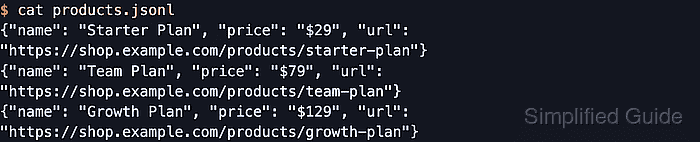
- Open the exported file to confirm that each line contains one complete JSON object.
$ cat products.jsonl
{"name": "Starter Plan", "price": "$29", "url": "https://shop.example.com/products/starter-plan"}
{"name": "Team Plan", "price": "$79", "url": "https://shop.example.com/products/team-plan"}
{"name": "Growth Plan", "price": "$129", "url": "https://shop.example.com/products/growth-plan"}
Each line is a standalone record, so another tool can start reading the file without waiting for a closing JSON array bracket.
- Count the lines when a quick item-total check is enough.
$ wc -l products.jsonl
       3 products.jsonl
The line total should match the item count from the crawl log because JSON Lines writes one item on each line.
- Parse the file once before handing it to another tool.
$ python3 -c "import json; [json.loads(line) for line in open('products.jsonl', encoding='utf-8')]; print('OK')"
OK
A successful parse confirms the file contains complete JSON objects instead of partial or truncated lines.
Tool: JSON Validator

Mohd Shakir Zakaria is a cloud architect with deep roots in software development and open-source advocacy. Certified in AWS, Red Hat, VMware, ITIL, and Linux, he specializes in designing and managing robust cloud and on-premises infrastructures.


