Sparse data can cross process boundaries without expanding into a dense file. SciPy stores a supported sparse representation and its numeric values together in a compressed .npz archive, which makes the file suitable for checkpoints and handoffs between Python programs.
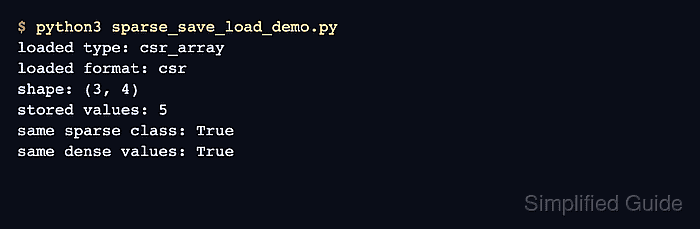
The scipy.sparse.save_npz() function accepts CSR, CSC, BSR, DIA, and COO sparse arrays or matrices. The sample uses CSR because its row-oriented layout is a common fit for feature matrices and later matrix-vector operations.
A meaningful round trip loads the archive in a separate process and checks its class, format, shape, stored-entry count, and values. Dense conversion is limited to the small verification array because toarray() allocates memory for every zero.
Steps to save and load a SciPy sparse array:
- Create save_sparse.py with the coordinate data for the sparse array.
- save_sparse.py
import numpy as np
from scipy import sparse

rows = np.array([0, 0, 1, 2, 2])
cols = np.array([0, 3, 1, 0, 2])
values = np.array([10.0, 2.5, 3.0, 4.5, 8.0])
- Append the CSR serialization block to save_sparse.py.
features = sparse.coo_array(
    (values, (rows, cols)),
    shape=(3, 4),
).tocsr()
sparse.save_npz("feature_matrix.npz", features)

print(
    f"Saved {features.format}_array with shape {features.shape} "
    f"and {features.nnz} stored entries"
)
- Run save_sparse.py to write feature_matrix.npz.
$ python3 save_sparse.py
Saved csr_array with shape (3, 4) and 5 stored entries
- Create load_sparse.py to read the archive into a sparse object.
- load_sparse.py
import numpy as np
from scipy import sparse

expected = np.array(
    [
        [10.0, 0.0, 0.0, 2.5],
        [0.0, 3.0, 0.0, 0.0],
        [4.5, 0.0, 8.0, 0.0],
    ]
)
restored = sparse.load_npz("feature_matrix.npz")
- Append the archive verification block to load_sparse.py.
if not isinstance(restored, sparse.csr_array):
    raise TypeError(f"Expected csr_array, got {type(restored).__name__}")
if restored.format != "csr":
    raise ValueError(f"Expected csr format, got {restored.format}")
np.testing.assert_array_equal(restored.toarray(), expected, strict=True)

print("type:", type(restored).__name__)
print("format:", restored.format)
print("shape:", restored.shape)
print("stored entries:", restored.nnz)
print("values:")
print(restored.toarray())
toarray() materializes every zero and is appropriate only when the dense form fits in memory; production-sized data needs sparse-native checks.
- Run load_sparse.py in a separate Python process to verify the sparse round trip.
$ python3 load_sparse.py
type: csr_array
format: csr
shape: (3, 4)
stored entries: 5
values:
[[10.   0.   0.   2.5]
 [ 0.   3.   0.   0. ]
 [ 4.5  0.   8.   0. ]]
The assertions raise an exception before this output when the archive restores the wrong sparse class, format, shape, data type, or values.

Mohd Shakir Zakaria is a cloud architect with deep roots in software development and open-source advocacy. Certified in AWS, Red Hat, VMware, ITIL, and Linux, he specializes in designing and managing robust cloud and on-premises infrastructures.


