Root finding solves equations by locating the input where a function evaluates to zero. In SciPy, this is a common step when a model equation, calibration target, or numerical residual needs a concrete solution instead of a plotted crossing point.
scipy.optimize.root_scalar() handles one-dimensional functions and returns a RootResults object with the candidate root, convergence flag, and stop reason. A bracketing method such as brentq starts with two interval endpoints where the function values have opposite signs, so it does not need a derivative.
A small cos(x) - x calculation keeps the convergence fields easy to inspect. For a system of equations or a vector-valued residual, use scipy.optimize.root() rather than reshaping data for root_scalar().
Steps to find scalar roots with SciPy:
- Create a Python script named root_find.py.
- root_find.py
import numpy as np
from scipy.optimize import root_scalar

def equation(x):
    return np.cos(x) - x

solution = root_scalar(equation, bracket=[0, 1], method="brentq", xtol=1e-12)

print(f"converged: {solution.converged}")
print(f"flag: {solution.flag}")
print(f"root: {solution.root:.12f}")
print(f"residual: {equation(solution.root):.3e}")
print(f"iterations: {solution.iterations}")
print(f"function calls: {solution.function_calls}")
brentq is a bracketing solver. The bracket endpoints must surround a sign change in the function.
- Run the script.
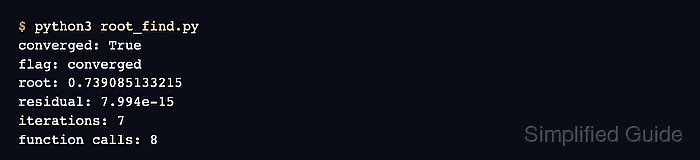
$ python3 root_find.py
converged: True
flag: converged
root: 0.739085133215
residual: 7.994e-15
iterations: 7
function calls: 8
- Confirm that the solver converged and the residual is near zero.
solution.root is the x-value returned by SciPy. Re-evaluating equation(solution.root) checks the original equation rather than only trusting the solver status.
- Replace equation() with the function from your project.
If the two bracket values do not produce opposite signs, root_scalar() raises ValueError instead of returning a false root.
- Adjust xtol only when the root position needs a different absolute tolerance.
A small x-step and a small function value are different checks. Keep the residual printout until the accepted root is close enough for the model being solved.
- Remove the demo script when it was only created for the check.
$ rm root_find.py

Mohd Shakir Zakaria is a cloud architect with deep roots in software development and open-source advocacy. Certified in AWS, Red Hat, VMware, ITIL, and Linux, he specializes in designing and managing robust cloud and on-premises infrastructures.


