SciPy depends on compiled numerical libraries, so installing it inside a Conda environment avoids many compiler and system-library problems. A named environment keeps the scientific stack separate from base Python and from unrelated projects.
The SciPy project recommends Miniforge for Conda-based installs because it uses the conda-forge package channel. Using conda directly also fits Miniconda or Anaconda shells when the conda-forge channel is named in the install command.
Creating the environment with Python and SciPy in one solve lets Conda choose compatible builds for NumPy, OpenBLAS or another BLAS backend, and the selected Python version. A small Python calculation after activation confirms SciPy imports from the environment and can run numerical routines.
Steps to install SciPy in a Conda environment:
- Open a terminal where conda is initialized.
Use Anaconda Prompt or Miniforge Prompt on Windows. On macOS or Linux, use a shell where conda activate already works.
- Create a new environment with SciPy from conda-forge.
$ conda create --name scipy-env --channel conda-forge python=3.12 scipy --yes
##### snipped #####
# To activate this environment, use
#
#     $ conda activate scipy-env
Replace scipy-env with the project environment name. Replace python=3.12 with the Python version your project needs, or omit it to let Conda choose a compatible Python build.
- Activate the new environment.
$ conda activate scipy-env
- Confirm that SciPy is installed from conda-forge in the active environment.
$ conda list scipy
# packages in environment at /home/user/miniforge3/envs/scipy-env:
#
# Name                     Version          Build            Channel
scipy                      1.18.0           py312ha7f05e0_0  conda-forge
The exact version, build string, and environment path change by platform and release. The important fields are the package name scipy and the intended channel.
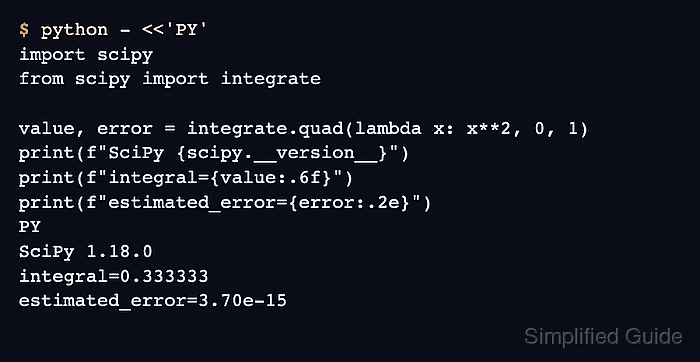
- Run a SciPy import and numerical smoke test.
$ python - <<'PY'
import scipy
from scipy import integrate

value, error = integrate.quad(lambda x: x**2, 0, 1)
print(f"SciPy {scipy.__version__}")
print(f"integral={value:.6f}")
print(f"estimated_error={error:.2e}")
PY
SciPy 1.18.0
integral=0.333333
estimated_error=3.70e-15
The integral of x^2 from 0 to 1 is 1/3, so 0.333333 confirms scipy.integrate is importable and running inside the active environment.

Mohd Shakir Zakaria is a cloud architect with deep roots in software development and open-source advocacy. Certified in AWS, Red Hat, VMware, ITIL, and Linux, he specializes in designing and managing robust cloud and on-premises infrastructures.


