A fitted scikit-learn model often has to cross the boundary between training and a later scoring process. Saving the complete fitted Pipeline keeps preprocessing and prediction behavior together when both processes use the same trusted Python environment.
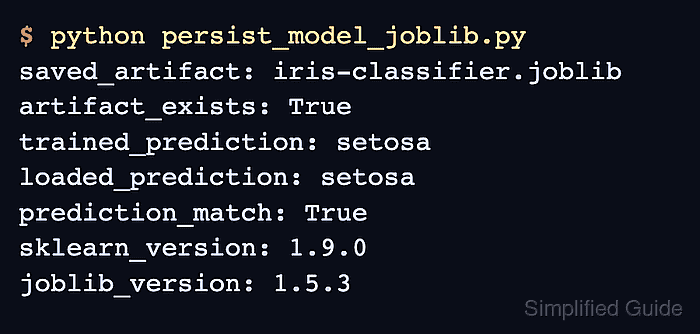
The joblib format stores Python objects through a pickle-based representation that handles large NumPy arrays efficiently. The training script writes the fitted pipeline to a .joblib artifact, and a separate scoring script loads that artifact before predicting from an unscaled feature row.
A .joblib artifact is safe to load only when it comes from trusted storage because joblib.load() can execute code through the pickle protocol. The training and scoring environments also need matching Python, scikit-learn, NumPy, SciPy, and joblib versions because loading models across different dependency versions is unsupported.
Steps to save and load a scikit-learn model with joblib:
- Create the training script foundation with the artifact path and Iris dataset.
- train_and_save.py
from pathlib import Path

from joblib import dump
from sklearn.datasets import load_iris
from sklearn.linear_model import LogisticRegression
from sklearn.pipeline import make_pipeline
from sklearn.preprocessing import StandardScaler


artifact = Path("iris-classifier.joblib")
iris = load_iris()
- Add the fitted pipeline block below the Iris dataset assignment.
model = make_pipeline(
    StandardScaler(),
    LogisticRegression(max_iter=200, random_state=0),
)
model.fit(iris.data, iris.target)
- Append the joblib persistence block after the model fitting call.
dump(model, artifact)
print(f"saved_artifact: {artifact}")
- Run the training script to write the fitted pipeline to the joblib artifact.
$ python train_and_save.py
saved_artifact: iris-classifier.joblib
- Create the scoring script that loads the trusted artifact for a fail-capable prediction check.
- load_and_score.py
from pathlib import Path

from joblib import load
from sklearn.datasets import load_iris


artifact = Path("iris-classifier.joblib")
iris = load_iris()
model = load(artifact)

prediction = model.predict(iris.data[[0]])
assert prediction[0] == iris.target[0]
print(f"loaded_prediction: {iris.target_names[prediction[0]]}")
Loading a .joblib file from an untrusted source can execute arbitrary Python code.
- Run the scoring script in the training environment to confirm that the loaded pipeline predicts the known class.
$ python load_and_score.py
loaded_prediction: setosa

Mohd Shakir Zakaria is a cloud architect with deep roots in software development and open-source advocacy. Certified in AWS, Red Hat, VMware, ITIL, and Linux, he specializes in designing and managing robust cloud and on-premises infrastructures.


