Cargo workspaces group related Rust packages under one root manifest so builds, tests, dependency resolution, and output artifacts can be managed from the repository root. They fit projects that split a reusable library, CLI, integration test harness, or helper crate into separate packages without losing a shared build workflow.
A virtual workspace root is a Cargo.toml that has [workspace] but no [package] section. Because that root has no package edition for Cargo to inspect, set resolver explicitly and list member directories that contain their own manifests.
A small library member and binary member under crates/ are enough to verify member discovery, the shared root Cargo.lock, and package selection from the root. The binary depends on the library by path, so a workspace-wide test and a package run prove more than two unrelated packages sitting under the same directory.
Steps to create a Rust workspace with Cargo:
- Create the workspace root directory.
$ mkdir demo-workspace
- Enter the workspace root.
$ cd demo-workspace
- Create the library member package.
$ cargo new crates/demo-lib --lib --vcs none
    Creating library `demo-lib` package
note: see more `Cargo.toml` keys and their definitions at https://doc.rust-lang.org/cargo/reference/manifest.html
Use existing package directories instead of cargo new when converting an existing repository. --vcs none leaves version control ownership to the workspace root.
- Create the binary member package.
$ cargo new crates/demo-cli --bin --vcs none Creating binary (application) `demo-cli` package note: see more `Cargo.toml` keys and their definitions at https://doc.rust-lang.org/cargo/reference/manifest.html - Create the virtual workspace manifest.
- Cargo.toml
[workspace]
members = ["crates/demo-cli", "crates/demo-lib"]
resolver = "3"
resolver = “3” matches the current resolver for Edition 2024 packages. Virtual workspaces should set it explicitly because the root manifest has no package edition.
- Replace the library source with a small function and test.
- crates/demo-lib/src/lib.rs
pub fn add(left: u64, right: u64) -> u64 {
    left + right
}

#[cfg(test)]
mod tests {
    use super::*;

    #[test]
    fn adds_two_numbers() {
        assert_eq!(add(2, 3), 5);
    }
}
- Add the library as a path dependency in the binary member manifest.
- crates/demo-cli/Cargo.toml
[package]
name = "demo-cli"
version = "0.1.0"
edition = "2024"

[dependencies]
demo-lib = { path = "../demo-lib" }
Cargo.toml uses the package name demo-lib, while Rust code imports it as demo_lib.
- Replace the binary entry point so it calls the library member.
- crates/demo-cli/src/main.rs
fn main() {
    println!("workspace total: {}", demo_lib::add(2, 3));
}
- Confirm that Cargo sees both workspace members.
$ cargo tree --workspace --depth 0
demo-cli v0.1.0 (/work/demo-workspace/crates/demo-cli)

demo-lib v0.1.0 (/work/demo-workspace/crates/demo-lib)
- Run the workspace test selection from the root.
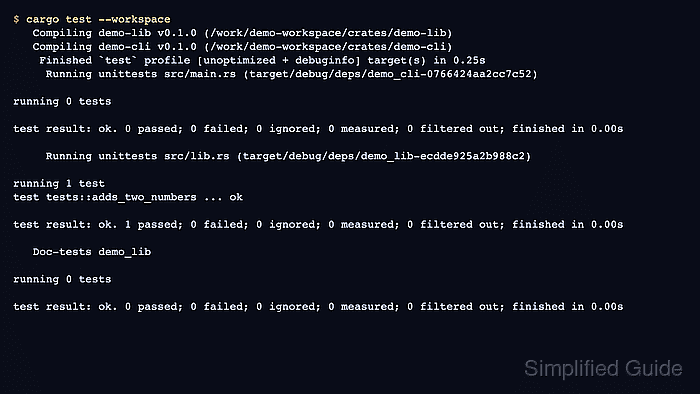
$ cargo test --workspace
   Compiling demo-lib v0.1.0 (/work/demo-workspace/crates/demo-lib)
   Compiling demo-cli v0.1.0 (/work/demo-workspace/crates/demo-cli)
    Finished `test` profile [unoptimized + debuginfo] target(s) in 0.36s
     Running unittests src/main.rs (target/debug/deps/demo_cli-0766424aa2cc7c52)

running 0 tests

test result: ok. 0 passed; 0 failed; 0 ignored; 0 measured; 0 filtered out; finished in 0.00s

     Running unittests src/lib.rs (target/debug/deps/demo_lib-ecdde925a2b988c2)

running 1 test
test tests::adds_two_numbers ... ok

test result: ok. 1 passed; 0 failed; 0 ignored; 0 measured; 0 filtered out; finished in 0.00s

   Doc-tests demo_lib

running 0 tests

test result: ok. 0 passed; 0 failed; 0 ignored; 0 measured; 0 filtered out; finished in 0.00s
Related: How to run Rust tests with Cargo
- Check that Cargo wrote one root lockfile.
$ cat Cargo.lock
# This file is automatically @generated by Cargo.
# It is not intended for manual editing.
version = 4

[[package]]
name = "demo-cli"
version = "0.1.0"
dependencies = [
 "demo-lib",
]

[[package]]
name = "demo-lib"
version = "0.1.0"
The lockfile lives beside the workspace root manifest rather than inside each member package.
- Run the binary package from the workspace root.
$ cargo run -p demo-cli --quiet
workspace total: 5
-p selects one package from the workspace when the root manifest has more than one runnable member.

Mohd Shakir Zakaria is a cloud architect with deep roots in software development and open-source advocacy. Certified in AWS, Red Hat, VMware, ITIL, and Linux, he specializes in designing and managing robust cloud and on-premises infrastructures.


