Rust documentation comments become local HTML through rustdoc, and Cargo provides the package-aware way to build that site from the crate manifest. Generating the docs before review or release lets a developer inspect the public API pages that readers will browse instead of relying only on source comments.
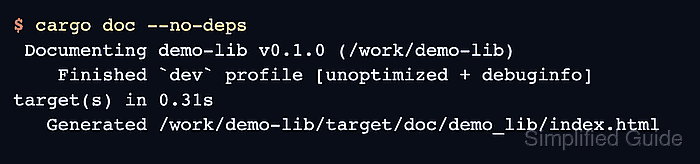
cargo doc selects the package and targets from the nearest Cargo.toml file and writes the rendered site under target/doc. By default, Cargo can build documentation for dependencies as well as the local package; --no-deps keeps the run focused on the crate being reviewed.
Start from an existing Rust package with public items documented by rustdoc comments. Generated HTML is build output, so edit the Rust source, rebuild the docs, and use cargo clean --doc only when stale generated pages need to be removed.
Steps to generate Rust documentation with Cargo:
- Open a terminal in the package directory that contains Cargo.toml.
For a workspace, run from the member package when reviewing one crate, or use workspace/package selection flags when the generated docs should cover more than the default members.
- Confirm that public API items have documentation comments.
- src/lib.rs
//! Small arithmetic helpers for documentation examples.

/// Adds two unsigned integers.
///
/// # Examples
///
///     use demo_lib::add;
///
///     assert_eq!(add(2, 3), 5);
pub fn add(left: u64, right: u64) -> u64 {
    left + right
}
rustdoc uses //! for crate-level comments and /// for item-level comments. Private items are hidden from normal library docs unless --document-private-items is used.
- Generate local crate documentation without rebuilding dependency pages.
$ cargo doc --no-deps
 Documenting demo-lib v0.1.0 (/work/demo-lib)
    Finished `dev` profile [unoptimized + debuginfo] target(s) in 0.31s
   Generated /work/demo-lib/target/doc/demo_lib/index.html
Omit --no-deps when dependency API pages should be built too. On a desktop shell, cargo doc --no-deps --open builds the docs and opens the default browser.
- Confirm that the crate index and documented item page were generated.
$ ls target/doc/demo_lib/index.html target/doc/demo_lib/fn.add.html
target/doc/demo_lib/fn.add.html
target/doc/demo_lib/index.html
Cargo converts hyphens in the package name to underscores in the documentation path, so a package named demo-lib generates pages under target/doc/demo_lib.
- Open target/doc/demo_lib/index.html in a browser.
The crate page should show the crate documentation and a link to the public add function page.
- Run documentation tests when the comments include executable examples.
$ cargo test --doc
   Compiling demo-lib v0.1.0 (/work/demo-lib)
    Finished `test` profile [unoptimized + debuginfo] target(s) in 0.03s
   Doc-tests demo_lib

running 1 test
test src/lib.rs - add (line 7) ... ok

test result: ok. 1 passed; 0 failed; 0 ignored; 0 measured; 0 filtered out; finished in 0.00s

all doctests ran in 0.37s; merged doctests compilation took 0.36s
cargo doc builds the HTML pages; cargo test --doc compiles and runs examples extracted from documentation comments.
Related: How to run Rust tests with Cargo

Mohd Shakir Zakaria is a cloud architect with deep roots in software development and open-source advocacy. Certified in AWS, Red Hat, VMware, ITIL, and Linux, he specializes in designing and managing robust cloud and on-premises infrastructures.


