Published crates.io versions are permanent, so a broken Rust release needs a registry state change instead of an overwrite or deletion. A Cargo yank marks one published crate version as unavailable for normal new dependency resolution while preserving the archive for projects that already locked it.
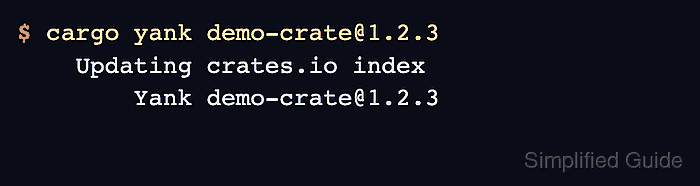
The cargo yank command talks to the selected registry and requires crate-owner permission through a stored Cargo token or a command-scoped token. Use it for exceptional releases such as accidental publishes, unusable builds, or unintentional SemVer breakage, and publish a compatible replacement first when downstream crates need one.
Yanking does not remove source code, erase leaked secrets, or stop downloads through existing lockfiles and direct registry archive URLs. Revoke exposed credentials immediately, publish a fixed version when possible, and contact the registry maintainers for legal, personal-data, or policy problems that require more than a yank.
Steps to yank a Rust crate version with Cargo:
- Identify the exact crate and version that should be yanked.
$ cargo info demo-crate@1.2.3
    Updating crates.io index
  Downloaded demo-crate v1.2.3
demo-crate
version: 1.2.3
crates.io: https://crates.io/crates/demo-crate/1.2.3
Replace demo-crate and 1.2.3 with the published crate name and version. Check that a compatible replacement version is published before yanking when dependent crates use a broad requirement such as 1.2.
- Confirm the active Cargo token has owner access to the crate.
$ cargo owner --list demo-crate
    Updating crates.io index
github:example-org:crate-maintainers
github:maintainer
cargo owner uses the same registry and token path as cargo yank. If Cargo reports that no token exists, run cargo login with a crates.io API token or pass a token through an isolated command environment.
- Yank the bad version from the registry index.
$ cargo yank demo-crate@1.2.3
    Updating crates.io index
        Yank demo-crate@1.2.3
This changes registry state for the published version. It does not delete the .crate archive and it does not change existing Cargo.lock files.
- Tell affected downstream users which version replaces the yanked release.
$ cargo update -p demo-crate
    Updating crates.io index
     Locking 1 package to latest compatible version
    Updating demo-crate v1.2.3 -> v1.2.4
Existing projects pinned by Cargo.lock can keep building with the yanked version. Projects that need the fixed release should refresh their lockfile or dependency requirement.
- Verify the version state on the crate's registry page.
https://crates.io/crates/demo-crate/1.2.3
The version page should show the yanked state after the registry updates. If the wrong version was yanked, restore it with cargo yank demo-crate@1.2.3 --undo.

Mohd Shakir Zakaria is a cloud architect with deep roots in software development and open-source advocacy. Certified in AWS, Red Hat, VMware, ITIL, and Linux, he specializes in designing and managing robust cloud and on-premises infrastructures.


