Rust toolchains are assembled from components such as the compiler, standard library, formatter, linter, local documentation, and standard library source. rustup manages those components per toolchain, so a missing formatter, linter, or source tree can be added without reinstalling the whole Rust environment.
rustup component add installs into the active toolchain unless a different toolchain is named with --toolchain. Project overrides and rust-toolchain.toml files can change the active toolchain for a directory, so checking the active toolchain first avoids adding the component to the wrong Rust release.
Component availability can differ by release channel, target platform, and nightly build. The component name rust-src installs the Rust standard library source tree, which gives a direct file payload to verify after installation.
Related: How to switch Rust toolchains with rustup
Related: How to update Rust toolchains with rustup
Related: How to install Rust on Ubuntu
Steps to install a Rust component with rustup:
- Check the active Rust toolchain.
$ rustup show active-toolchain
stable-aarch64-unknown-linux-gnu (default)
rustup installs the component into this toolchain unless the command includes --toolchain <toolchain>.
- Install the rust-src component.
$ rustup component add rust-src
info: downloading component rust-src
Use the same command shape for other components, such as rustfmt or clippy. If rustup says the component is up to date, it is already installed for the selected toolchain.
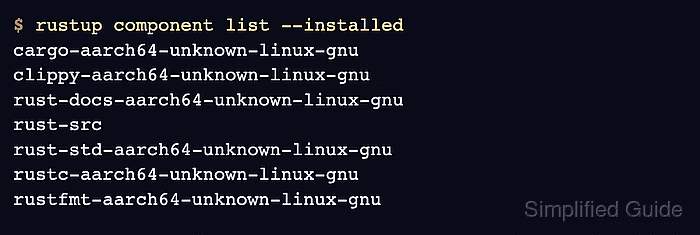
- Confirm that rust-src appears in the installed component list.
$ rustup component list --installed
cargo-aarch64-unknown-linux-gnu
clippy-aarch64-unknown-linux-gnu
rust-docs-aarch64-unknown-linux-gnu
rust-src
rust-std-aarch64-unknown-linux-gnu
rustc-aarch64-unknown-linux-gnu
rustfmt-aarch64-unknown-linux-gnu
Component names with a target-triple suffix vary by platform. The plain rust-src entry is not target-specific.
- Verify that the standard library source payload exists under the active sysroot.
$ ls "$(rustc --print sysroot)/lib/rustlib/src/rust/library/std/src/lib.rs"
/home/user/.rustup/toolchains/stable-aarch64-unknown-linux-gnu/lib/rustlib/src/rust/library/std/src/lib.rs
Command components can be checked by running their command instead, such as rustfmt --version after installing rustfmt.
Related: How to format Rust code with rustfmt
Related: How to lint Rust code with Clippy

Mohd Shakir Zakaria is a cloud architect with deep roots in software development and open-source advocacy. Certified in AWS, Red Hat, VMware, ITIL, and Linux, he specializes in designing and managing robust cloud and on-premises infrastructures.


