Rust formatting is a mechanical code style step that keeps review diffs focused on logic instead of whitespace, indentation, and line wrapping. rustfmt applies the Rust style rules, and Cargo can invoke it across the packages in a project before code review or continuous integration.
cargo fmt runs the cargo-fmt subcommand from the active Rust toolchain. The formatter is distributed as the rustfmt component, so a rustup-managed toolchain can install or refresh it with rustup component add rustfmt before formatting a project.
The formatter rewrites source files in place, so start from a working tree where unrelated edits are already understood. A final --check run exits successfully only when rustfmt would leave every formatted target unchanged.
Related: How to check Rust code with Cargo
Related: How to lint Rust code with Clippy
Steps to format Rust code with rustfmt:
- Open a terminal in the Cargo project root.
The directory should contain Cargo.toml. For a workspace, run from the workspace root so Cargo can format all member packages.
- Install or confirm the rustfmt component for the active toolchain.
$ rustup component add rustfmt
info: component rustfmt is up to date
- Run rustfmt through Cargo for every package in the current workspace.
$ cargo fmt --all
cargo fmt usually prints no output when formatting completes successfully. It rewrites matching Rust source files in place.
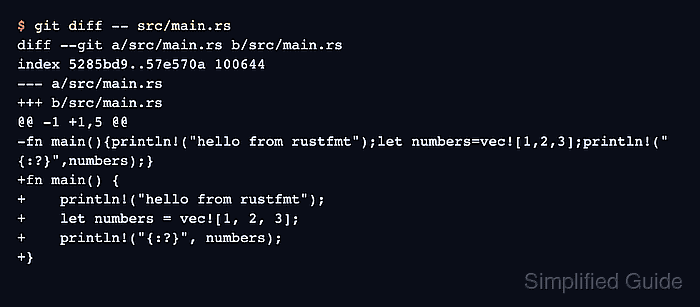
- Review the formatter changes before committing them.
$ git diff -- src/main.rs
diff --git a/src/main.rs b/src/main.rs
index 5285bd9..57e570a 100644
--- a/src/main.rs
+++ b/src/main.rs
@@ -1 +1,5 @@
-fn main(){println!("hello from rustfmt");let numbers=vec![1,2,3];println!("{:?}",numbers);}
+fn main() {
+    println!("hello from rustfmt");
+    let numbers = vec![1, 2, 3];
+    println!("{:?}", numbers);
+}
Use your editor or version-control diff tool when the project is not tracked by Git.
- Run check mode to confirm no formatting changes remain.
$ cargo fmt --all --check
No output with exit status 0 means the workspace is already formatted. CI jobs commonly use this check to reject unformatted Rust code without rewriting files.

Mohd Shakir Zakaria is a cloud architect with deep roots in software development and open-source advocacy. Certified in AWS, Red Hat, VMware, ITIL, and Linux, he specializes in designing and managing robust cloud and on-premises infrastructures.


