An interrupted large-file copy leaves reusable data only when the bytes already at the destination came from the same source file. Rsync can continue after that trusted prefix instead of sending it again from the beginning.
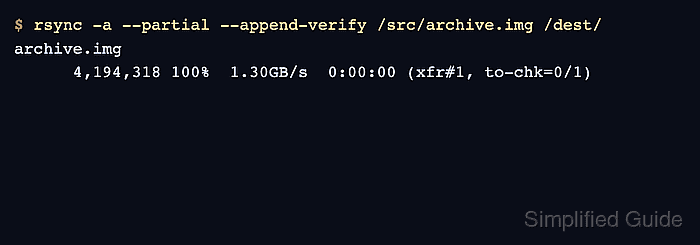
The --append-verify mode considers only destination files that are shorter than their source. It appends the missing bytes and includes the existing destination data in the completed file's checksum verification, while --partial keeps that receiver-side file if the resumed run is interrupted again.
Stop the process writing the source before resuming, and require the shorter destination to match the same-length prefix of that source. Do not use append mode for a same-size, larger, edited, or unknown destination because rsync can skip it without replacing incorrect content.
Steps to resume an interrupted rsync transfer:
- Record the source checksum after its writer has stopped.
$ sha256sum /srv/source/archive.img
42d532f8b702cf5c87b75c06792b501ceebf0998d140bfd42d6af056a8c01ea8  /srv/source/archive.img
Keep this hash for the final comparison. If the producing application cannot stop writing the file, take a filesystem or application snapshot and resume from that fixed copy instead.
- Confirm that the destination file is shorter than the source file.
$ stat --format='%n %s bytes' /srv/source/archive.img /srv/destination/archive.img
/srv/source/archive.img 67108864 bytes
/srv/destination/archive.img 16777216 bytes
Continue only when the destination is shorter and belongs to the interrupted transfer. Append mode skips a destination that is the same size or larger, even when its content is wrong.
- Compare the destination with the same-length source prefix.
$ cmp --bytes="$(stat --format='%s' /srv/destination/archive.img)" /srv/source/archive.img /srv/destination/archive.img
No output and exit status 0 mean every existing destination byte matches the source prefix. If cmp reports a difference, move the destination aside and run a normal rsync copy instead of appending.
- Resume the trusted partial file with append verification.
$ rsync -aP --append-verify /srv/source/archive.img /srv/destination/
sending incremental file list
archive.img

              0   0%    0.00kB/s    0:00:00
     67,108,864 100%  137.04MB/s    0:00:00 (xfr#1, to-chk=0/1)
-P adds --partial and --progress. Keep the same source and destination paths, remote account, and destination directory used by the interrupted run.
Related: How to copy files over SSH with rsync - Compare the completed source and destination checksums.
$ sha256sum /srv/source/archive.img /srv/destination/archive.img
42d532f8b702cf5c87b75c06792b501ceebf0998d140bfd42d6af056a8c01ea8  /srv/source/archive.img
42d532f8b702cf5c87b75c06792b501ceebf0998d140bfd42d6af056a8c01ea8  /srv/destination/archive.img
The source hash must also match the value recorded before the resumed run. All three matching values confirm that the source stayed unchanged and the completed destination is byte-identical.

Mohd Shakir Zakaria is a cloud architect with deep roots in software development and open-source advocacy. Certified in AWS, Red Hat, VMware, ITIL, and Linux, he specializes in designing and managing robust cloud and on-premises infrastructures.


