A non-default SSH listener changes the network endpoint for a remote-shell transfer without changing rsync's source and destination syntax. When a firewall, NAT rule, or SSH policy exposes the server on port 2222, the OpenSSH process started by rsync must connect to that port.
The single-colon user@host:path form tells rsync to start a remote rsync process through a remote shell. The -e, or --rsh, argument accepts that complete shell command, so ssh -p 2222 must stay quoted as one value. The rsync --port option belongs to direct daemon connections and does not select an SSH port.
The destination account needs write access only to the intended directory. Moving SSH away from port 22 does not replace host-key verification, key or password authentication, firewall restrictions, or account permissions; keep the same trusted connection path for the preview, live transfer, and remote listing.
Related: How to copy files over SSH with rsync
Related: How to pull files over SSH with rsync
Steps to use a custom SSH port with rsync:
- Check that the default SSH port is unavailable when the server is intended to accept SSH only on port 2222.
$ ssh -o ConnectTimeout=2 -p 22 backup@backup.example.net true
ssh: connect to host backup.example.net port 22: Connection refused
A firewall that silently drops port 22 may produce a timeout instead. If this command connects, confirm that it reached the intended server before treating port 2222 as the only route.
- Test the custom port and confirm that rsync is installed on the remote host.
$ ssh -p 2222 backup@backup.example.net 'rsync --version'
rsync  version 3.4.1  protocol version 32
Copyright (C) 1996-2025 by Andrew Tridgell, Wayne Davison, and others.
Web site: https://rsync.samba.org/
##### snipped #####
On the first connection, compare the presented host-key fingerprint with a trusted inventory or server-console value before accepting it. Do not disable host-key checking to bypass a mismatch.
Related: How to configure an SSH alias for rsync key authentication
Tool: SSH Key Fingerprint Checker - Preview the transfer with the custom SSH command passed as one quoted -e value.
$ rsync --archive --verbose --dry-run -e 'ssh -p 2222' /srv/fixture/source/ backup@backup.example.net:/srv/fixture/destination/
sending incremental file list
data/
data/archive.sparse
data/export.sql
data/latest-report.txt -> ../documents/report.txt
data/session.tmp
documents/
documents/notes.txt
documents/report-hardlink.txt
documents/report.txt

sent 349 bytes  received 41 bytes  780.00 bytes/sec
total size is 67,108,989  speedup is 172,074.33 (DRY RUN)
The trailing slash on /srv/fixture/source/ copies its contents into the destination directory. The --dry-run option lists the planned changes without writing them.
Related: How to control rsync directory copies with trailing slashes
Related: How to preview rsync changes before syncing - Run the live transfer, which creates missing destination files and updates matching files.
$ rsync --archive --verbose -e 'ssh -p 2222' /srv/fixture/source/ backup@backup.example.net:/srv/fixture/destination/
sending incremental file list
data/
data/archive.sparse
data/export.sql
data/latest-report.txt -> ../documents/report.txt
data/session.tmp
documents/
documents/notes.txt
documents/report-hardlink.txt
documents/report.txt

sent 67,125,935 bytes  received 141 bytes  134,252,152.00 bytes/sec
total size is 67,108,989  speedup is 1.00
This command can replace matching destination files. It does not remove extra destination files because --delete is not present; use a separate mirror workflow when deletion is required.
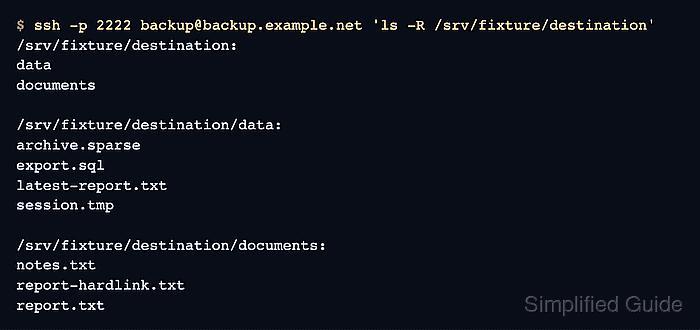
- List the remote tree through the same custom port.
$ ssh -p 2222 backup@backup.example.net 'ls -R /srv/fixture/destination'
/srv/fixture/destination:
data
documents

/srv/fixture/destination/data:
archive.sparse
export.sql
latest-report.txt
session.tmp

/srv/fixture/destination/documents:
notes.txt
report-hardlink.txt
report.txt

Mohd Shakir Zakaria is a cloud architect with deep roots in software development and open-source advocacy. Certified in AWS, Red Hat, VMware, ITIL, and Linux, he specializes in designing and managing robust cloud and on-premises infrastructures.


