Access policy can live beside file data in POSIX ACL entries and extended attributes. A migration that copies only owner, group, and mode bits can leave an application tree without its named-user access or application metadata even though every file reaches the destination.
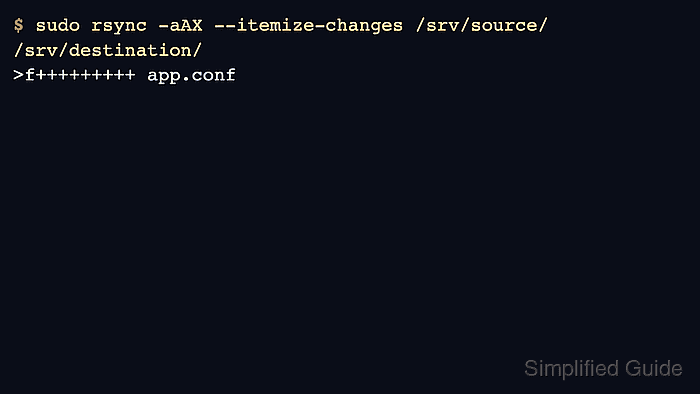
Archive mode in rsync treats these metadata families as explicit additions. The -a option does not include ACLs or extended attributes; add -A to preserve ACLs and -X to preserve xattrs when both rsync builds and filesystems support them.
A normal account that owns both trees can preserve the named backup ACL and the user.reviewed extended attribute without sudo. A normal receiver copies only user.* xattrs, so security.*, trusted.*, arbitrary owners, and device metadata need a separately reviewed privileged or --fake-super workflow.
Steps to preserve ACLs and extended attributes with rsync:
- Confirm that the installed rsync build supports ACLs and xattrs.
$ rsync --version
rsync  version 3.4.1  protocol version 32
##### snipped #####
Capabilities:
    64-bit files, 64-bit inums, 64-bit timestamps, 64-bit long ints,
    socketpairs, symlinks, symtimes, hardlinks, hardlink-specials,
    hardlink-symlinks, IPv6, atimes, batchfiles, inplace, append, ACLs,
    xattrs, optional secluded-args, iconv, prealloc, stop-at, no crtimes
##### snipped #####
Both ends of a remote transfer need compatible ACL and xattr support. On Ubuntu or Debian, the acl and attr packages provide getfacl and getfattr.
Related: How to install rsync on Ubuntu - Record the source ACL for a representative file.
$ getfacl -c -p /srv/source/documents/report.txt
user::rw-
user:backup:r--
group::r--
mask::r--
other::r--
- Read the exact source user-namespace attribute that must survive.
$ getfattr --absolute-names -n user.reviewed /srv/source/documents/report.txt
# file: /srv/source/documents/report.txt
user.reviewed="yes"
Naming user.reviewed explicitly keeps this transfer within the user.* namespace available to a normal receiver. Do not treat this check as an inventory of privileged xattrs.
- Preview the transfer with archive, ACL, and xattr preservation enabled.
$ rsync -aAX --dry-run --itemize-changes /srv/source/ /srv/destination/
cd+++++++++ data/
>f+++++++++ data/archive.sparse
>f+++++++++ data/export.sql
cL+++++++++ data/latest-report.txt -> ../documents/report.txt
>f+++++++++ data/session.tmp
cd+++++++++ documents/
>f+++++++++ documents/notes.txt
>f+++++++++ documents/report-hardlink.txt
>f+++++++++ documents/report.txt
Review every listed path before continuing. The trailing slash on /srv/source/ copies its contents, and this command does not delete destination-only files.
Related: How to preview rsync changes before syncing - Copy the tree only after the preview matches the intended destination.
The live transfer can replace matching file contents and every metadata field the receiving account is allowed to change, including permissions, modification times, ACL entries, and user.* xattrs. Use an empty or staged destination when existing files must remain available for rollback.
$ rsync -aAX --itemize-changes /srv/source/ /srv/destination/
cd+++++++++ data/
>f+++++++++ data/archive.sparse
>f+++++++++ data/export.sql
cL+++++++++ data/latest-report.txt -> ../documents/report.txt
>f+++++++++ data/session.tmp
cd+++++++++ documents/
>f+++++++++ documents/notes.txt
>f+++++++++ documents/report-hardlink.txt
>f+++++++++ documents/report.txt
-a does not imply -A or -X. Keep both extra flags in any transfer or restore that must retain ACLs and xattrs.
- Compare the destination ACL with the recorded source ACL.
$ getfacl -c -p /srv/destination/documents/report.txt
user::rw-
user:backup:r--
group::r--
mask::r--
other::r--
- Read the destination extended attribute and compare it with the recorded source value.
$ getfattr --absolute-names --only-values -n user.reviewed /srv/destination/documents/report.txt
yes
Matching destination reads confirm that the receiving rsync process and destination filesystem stored both metadata types. Stop if either read fails or omits the source entry.
- Run a final itemized dry run with the same preservation options.
$ rsync -aAX --dry-run --itemize-changes /srv/source/ /srv/destination/
An exit status of zero with no output means rsync found no file-data, ACL, or user.* xattr changes left to apply.

Mohd Shakir Zakaria is a cloud architect with deep roots in software development and open-source advocacy. Certified in AWS, Red Hat, VMware, ITIL, and Linux, he specializes in designing and managing robust cloud and on-premises infrastructures.


